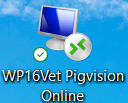
Since we have three programs, it is relevant for us to know, which program you have, when you contact us.
The programs are all PigVision, but we distinguish between PigVision Online, PigVision locally and WP16Vet, which is a veterinary part integrated in PigVision.
PigVision Online
On your desktop, PigVision Online will have a computer screen as an icon. When you have PigVision Online, your data is on a server and is therefore always automatically saved and stored. When you have PigVision Online, you also have access to our mobile apps "PigVision Mobile Sows" and "PigVision Mobile Growers", so you can easily enter data in the barn.

PigVision locally
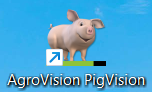
On your desktop, PigVision locally will have a pig as an icon. This is a local installation that runs by using a USB key in your computer. When you have a local installation, it is important that you remember to make a web backup regularly so that your data is not lost if your computer should break down.
If you have PigVision locally, but want to get PigVision Online instead, you are welcome to contact us at support-dk@agrovision.com
WP16Vet (veterinary part)
This is a part of PigVision, where you have access to vet visits, visit reports and medication documents. If you have PigVision Online or locally, the veterinary part is part of your PigVision license, if this is set up by your veterinarian. If you do not have a PigVision license, but would like access to vet visits, you must contact your veterinarian to find out if this is an option.