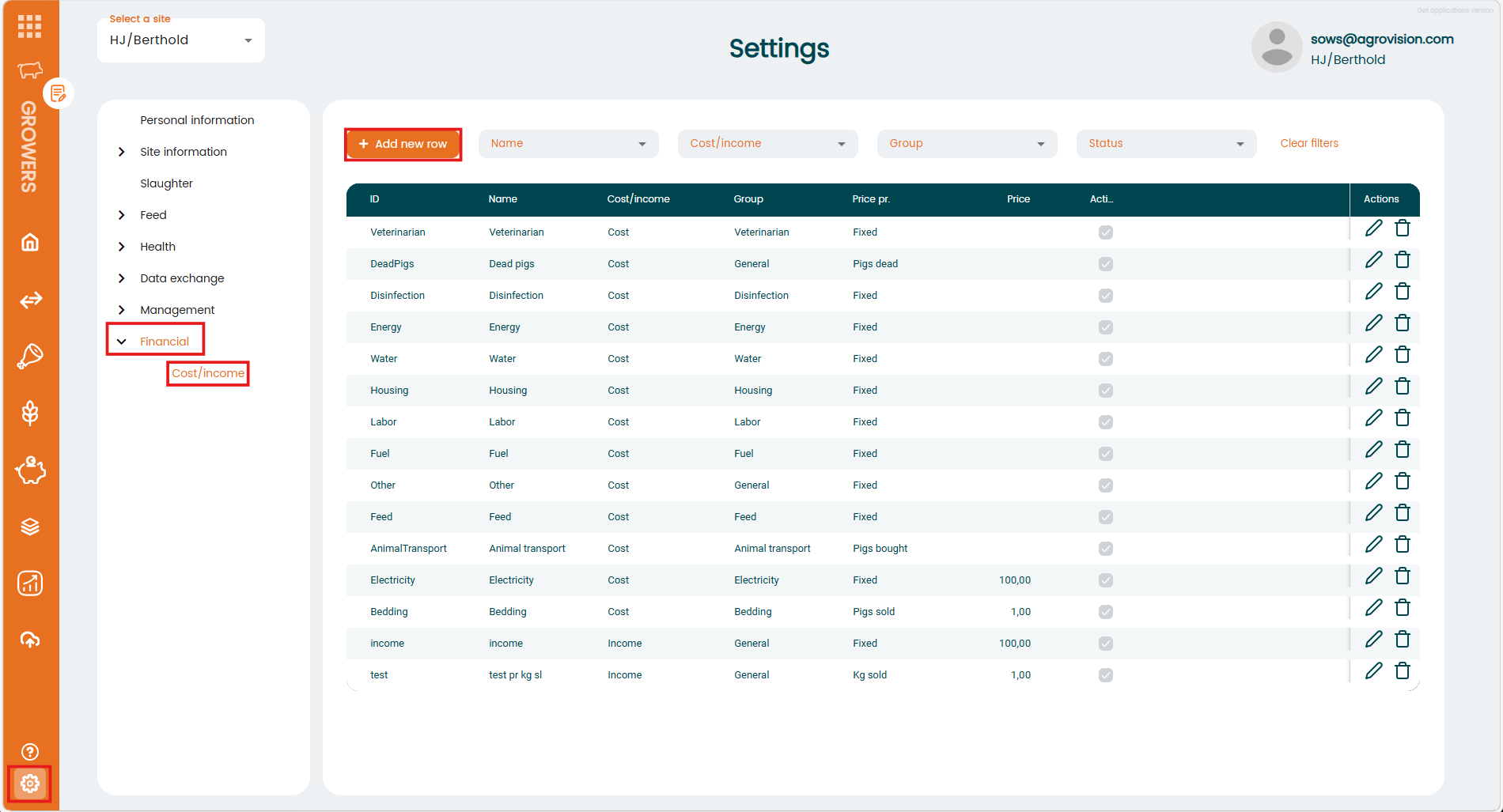
Before you register any cost or income in the financial menu you should first go to Settings menu and set-up the costs and income you will use later. You can do that here:
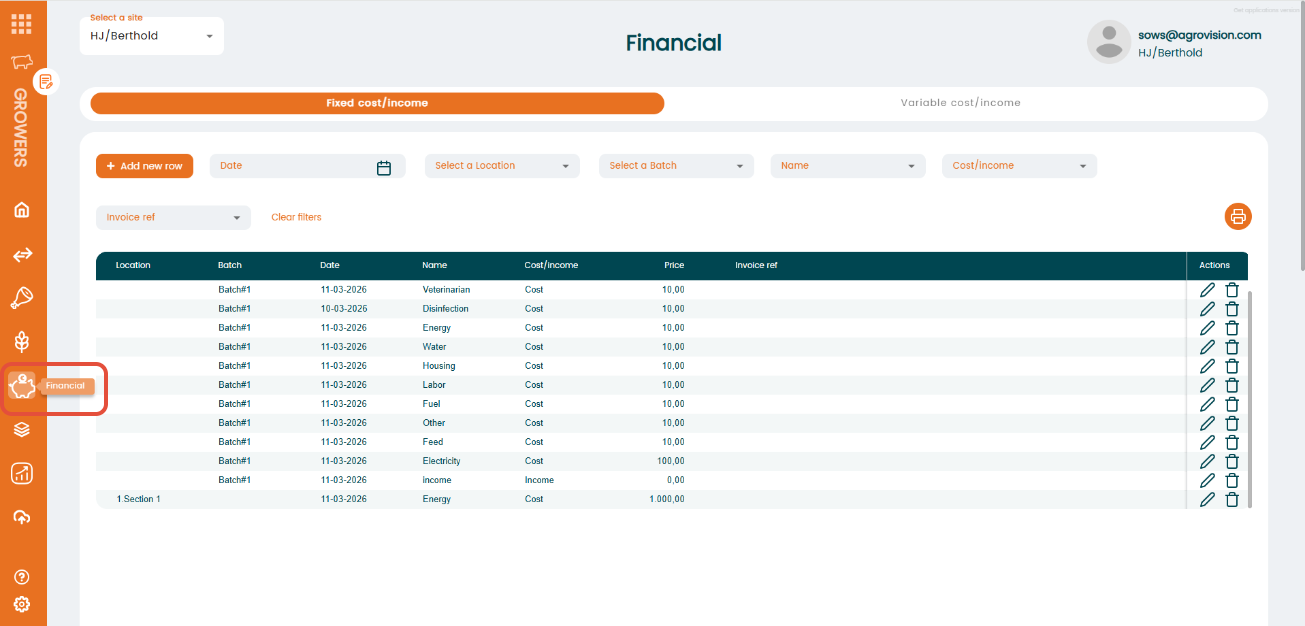
Once the settings are done your can open the Financial menu in the left bar where all dashboards are shown. Choose "Financial" as you can see in the image below
Once you're in you can choose between two main options "Fixed costs/income" or "Variable cost/income". Choose the right one depending if you want to register a fixed cost/income or a variable/cost or income.
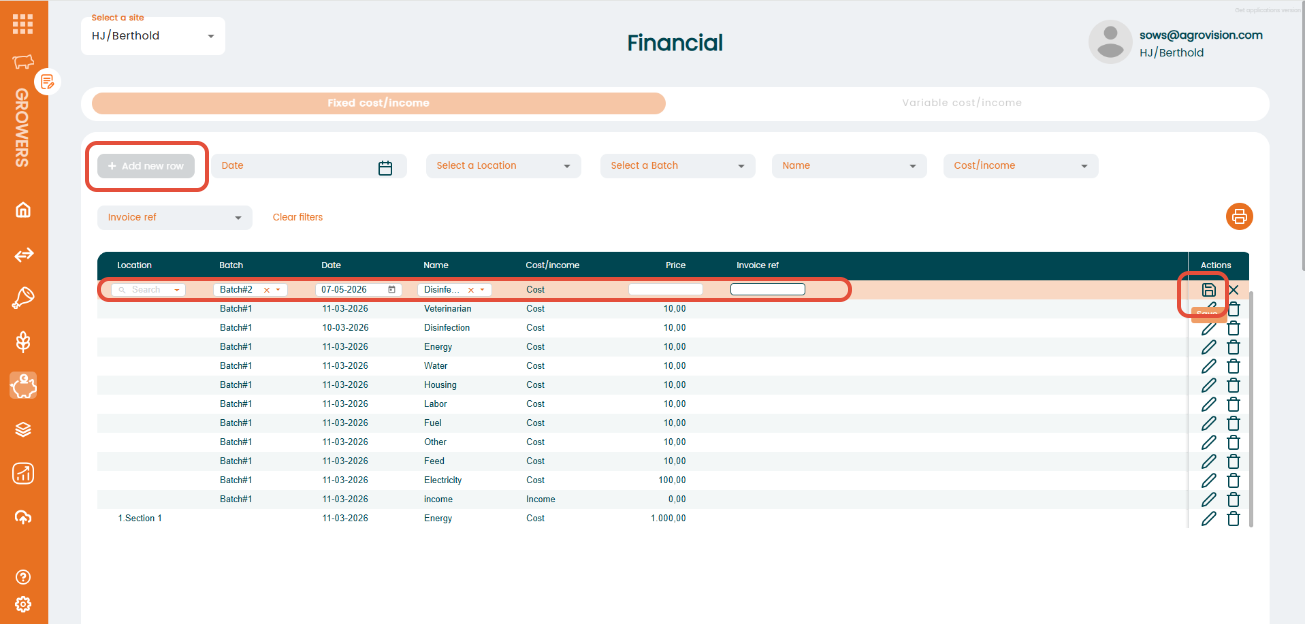
For entering a new registration you have to click on "+Add new row" button and a new registration will be available in the first row of the table. You must fill in the required information in each column and click in "Save" icon to save the registration.
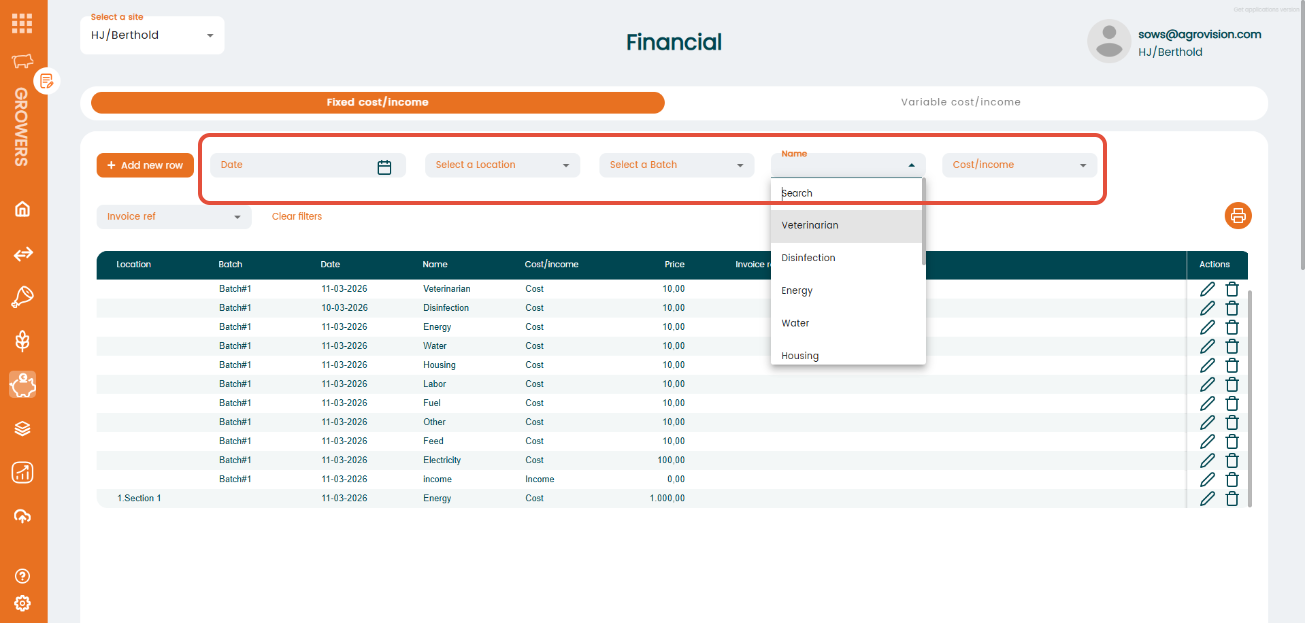
In the Financial menu you can also filter previous registration using the filter line available below the table. You can sort per date, location, batch, name, cost/income and invoice reference. If you want to reset the filters you can use the "Clear filters" button.