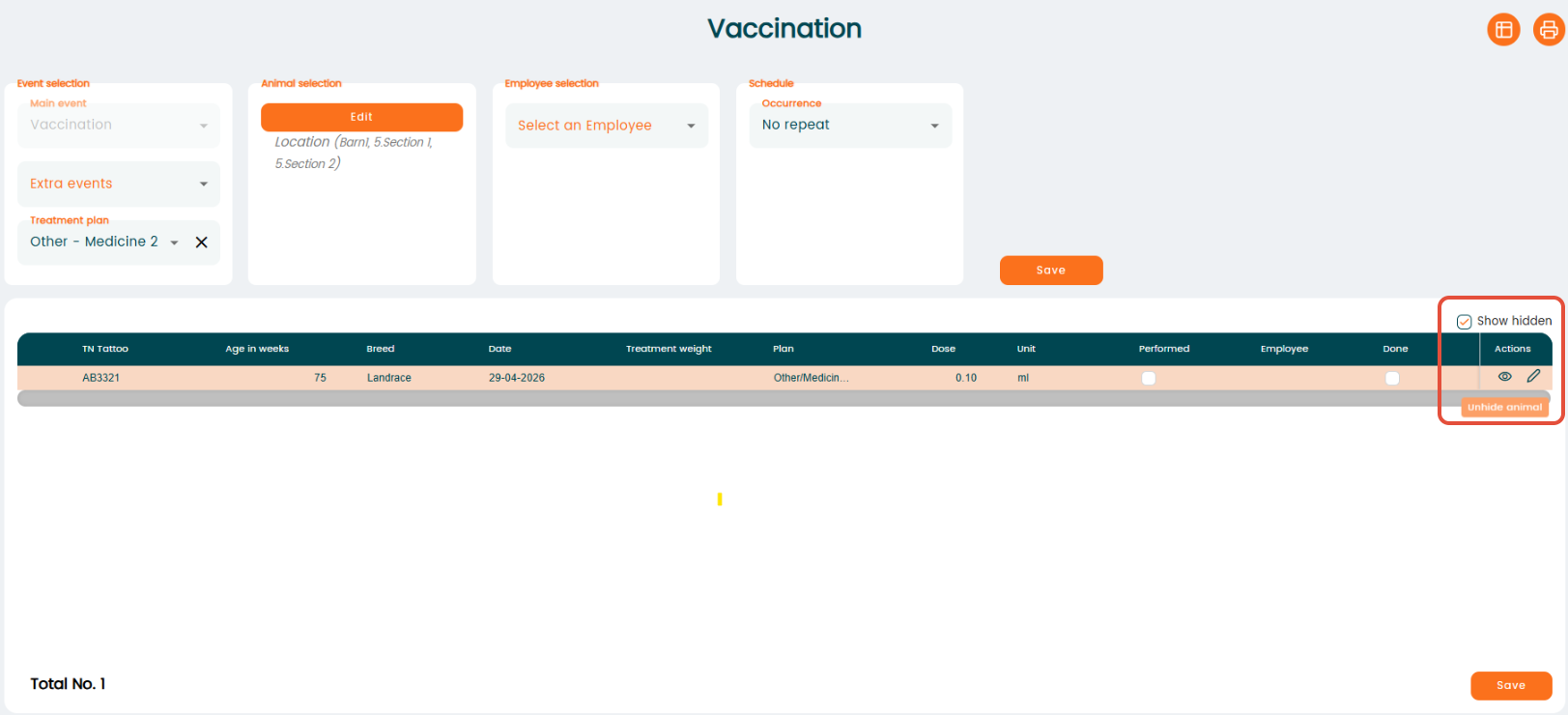
Worklists may include animals that are not relevant for your current task. Instead of working through the entire list, you can hide selected animals and keep only the ones you need.
Go to "Task management" - "Worklist" - select the relevant worklist for your task. After the animal list appears, locate the animal you want to remove, then click the "Eye" (Hide) icon in the "Action" column to hide it from the worklist.
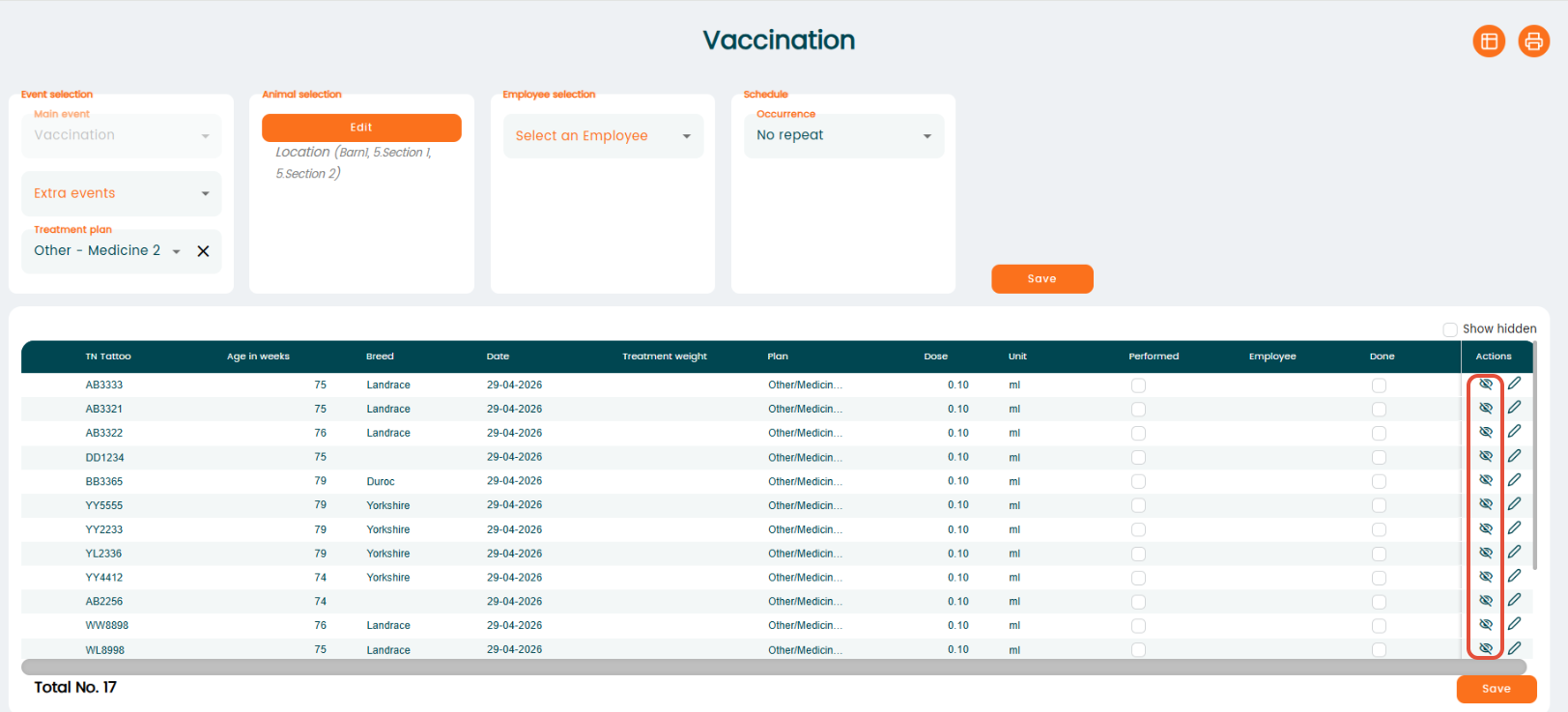 Once hidden, the animal will not be shown on the list.
View and restore hidden animals
- Click "Show hidden" above the "Actions" column to display animals that have been hidden.
- After enabling "Show hidden", locate the animal you want to restore.
- Click the "Eye" (Unhide animal) icon in the "Action" column to add the animal back to the worklist.