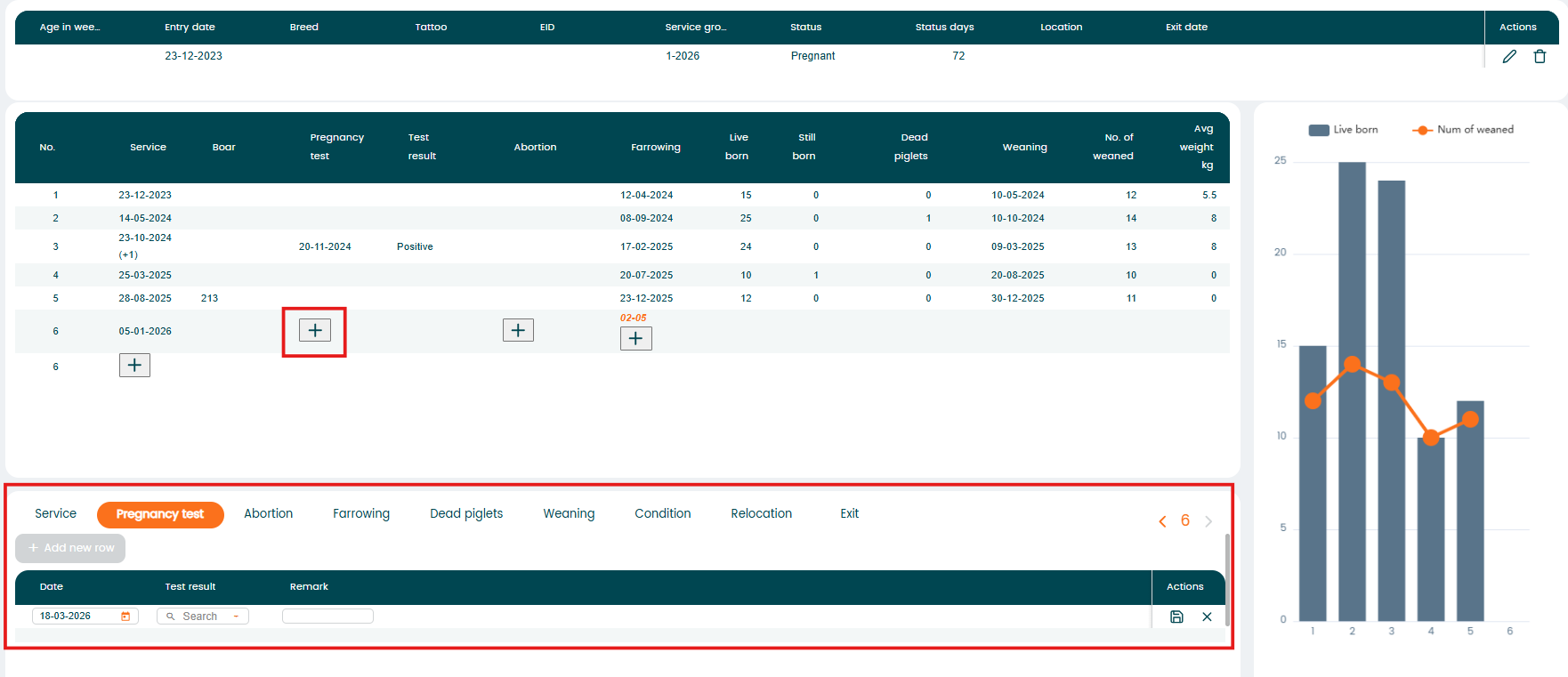
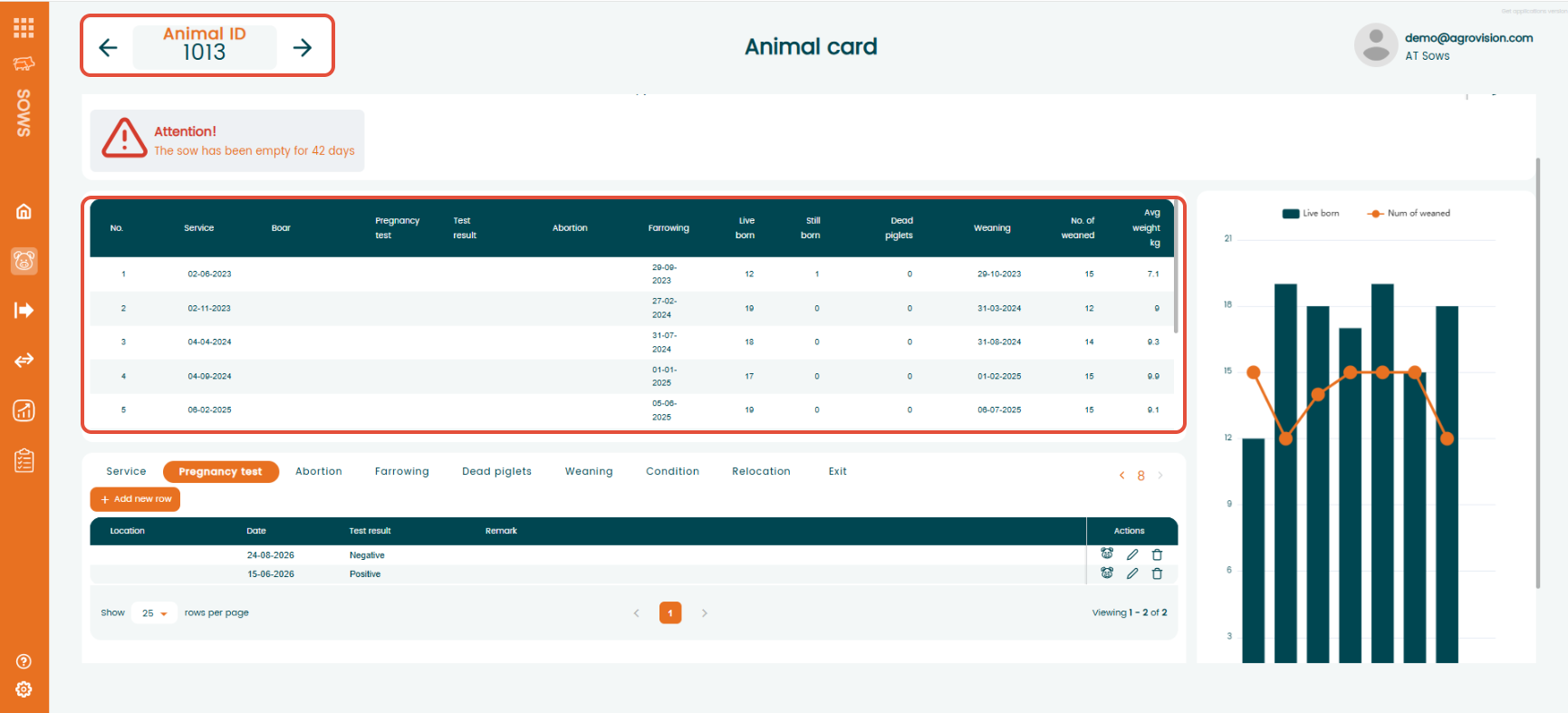
When you create an animal in the program, it automatically gets its own "animal card". The animal card shows all important information about the animal, including its history and registered events. This makes it easy to see everything in one place.
You can open an Animal Card in several ways:
- From the menu:
Navigate to "Animal Card"

- From overview pages:
Go to "Animal Overview" or "Animal Events"
Click the pig icon in the "Action" column

Once opened, the card displays detailed information and the full event history for the selected animal.
Open "Animal card" from the menu and type in animal number.
The Animal Card includes:
- Animal identification details
- Event history
- Graphical view of live born and weaned piglets
- Action buttons for event registration
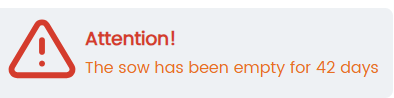
"Attention" field on "animal card"
Making registrations on an "animal card"
On the animal card, you can register new events when they become relevant for the animal.
You will only see a “+” sign next to the events that are possible to register at that time. For example, farrowing can only be entered after a service has been registered.
To add an event, click the “+” sign and a new line will open . When you have entered the information, press "Enter" save the registration.