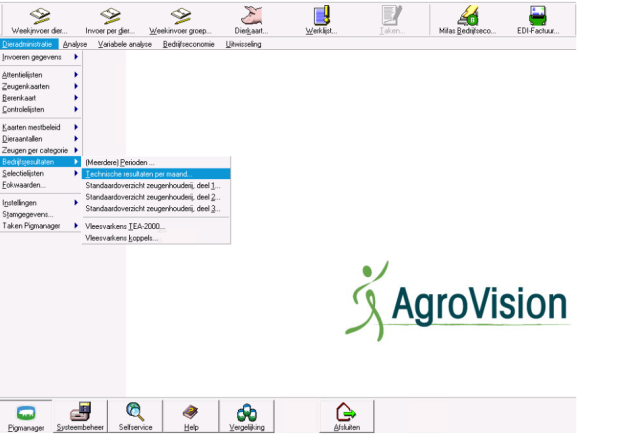
You can easily email various reports from PigManager—for instance, sending farm performance results to an advisor. In this example, we will email the monthly technical performance results to an advisor. You can find the technical performance report in the PigManager Everywhere system under Animal Records > Farm Performance > Technical Performance.
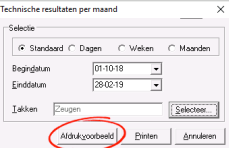
You will then see the retrieval screen for the relevant report, where you can select the start date, end date, and section. At the bottom of the report retrieval screens in PigManager Everywhere, you will also find the print preview button. Selecting this allows you to email a report.
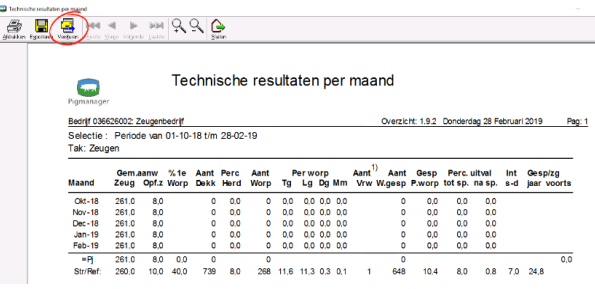
When you have a print preview open, you will see a "Send" button at the top of the screen. You will find this button for every print preview you generate in PigManager Everywhere.
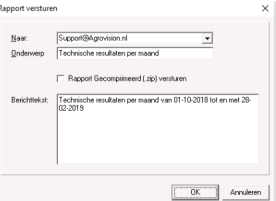
 When you click 'Send', you can enter the details required to email the overview. If you wish to email a large file or a long overview, you can select the option to send the report as a compressed file (.zip). Then click 'OK' to email the overview.