
Note: This feature applies only to farms operating in Canada.
It is possible for Canadian farms to enter all required information for the Canadian specific Bill of Lading (delivery note) directly within the system. You can set up these details on the "Settings" page, ensuring that all necessary transport and regulatory information are automatically included when creating delivery documents.
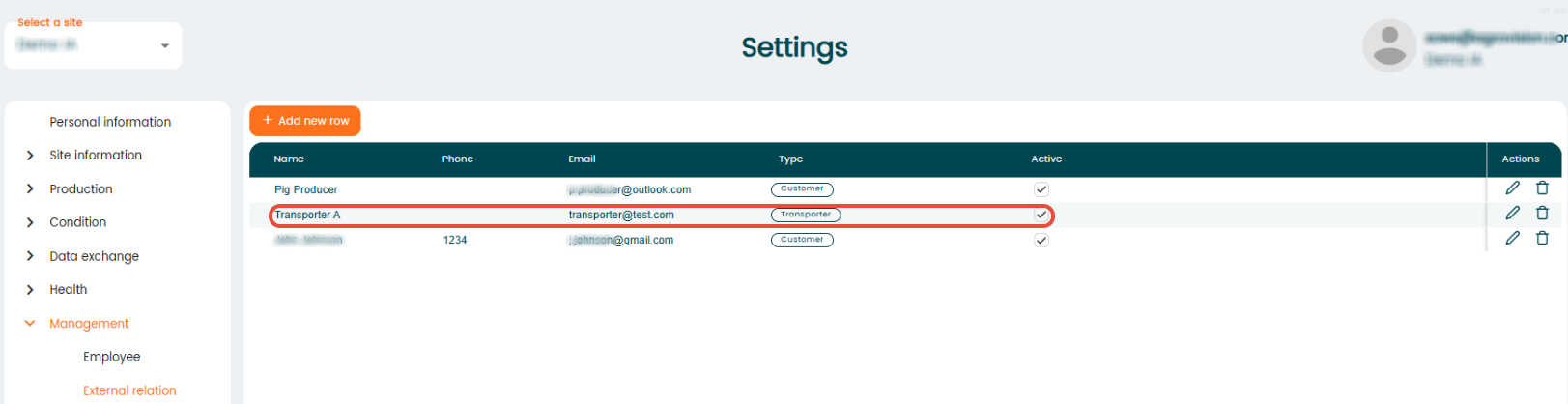
Go to "Settings" - "Management" - "External relations" to add a transporter. Once added, the transporter becomes available for selection during sales transactions.
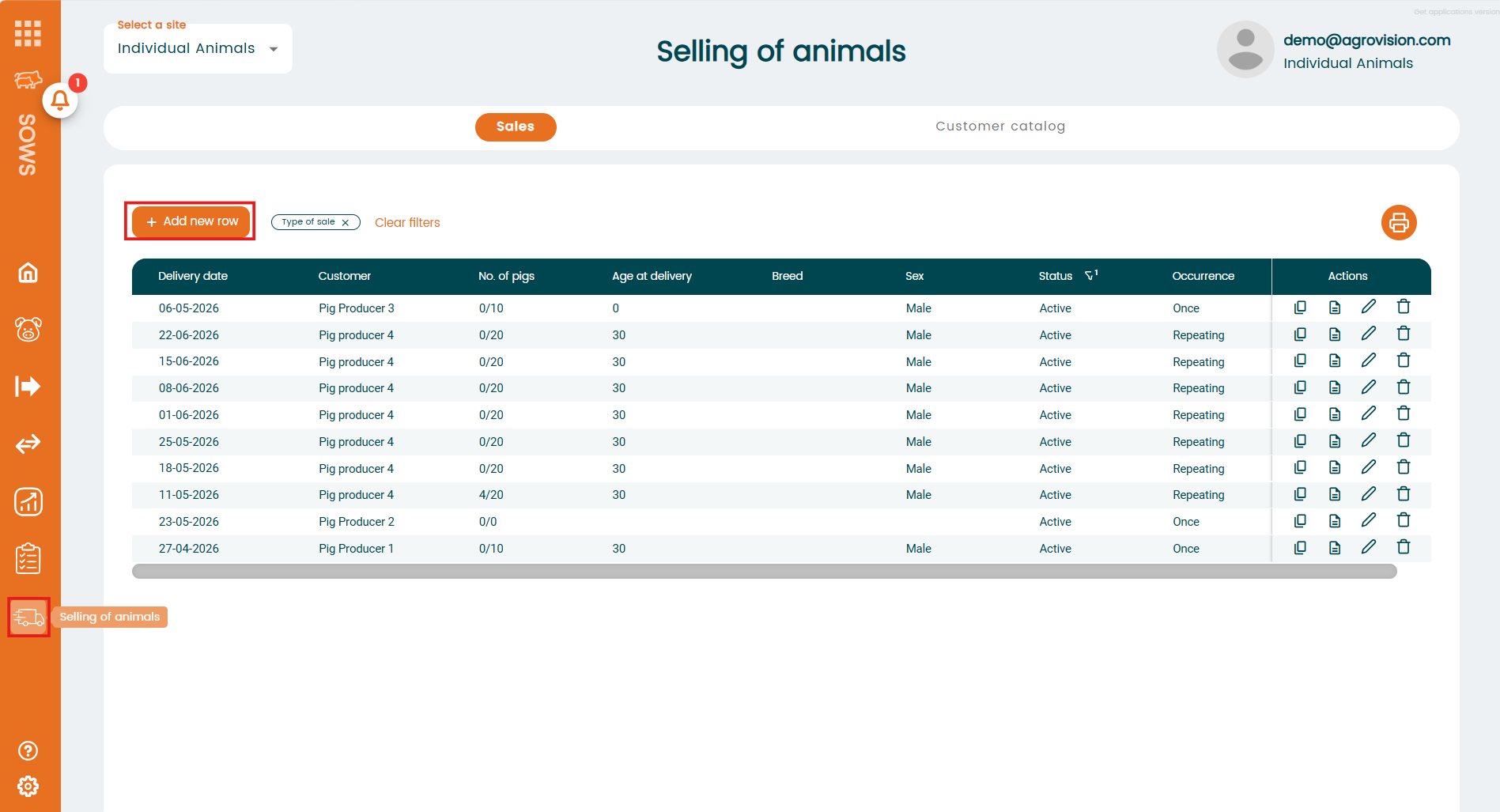
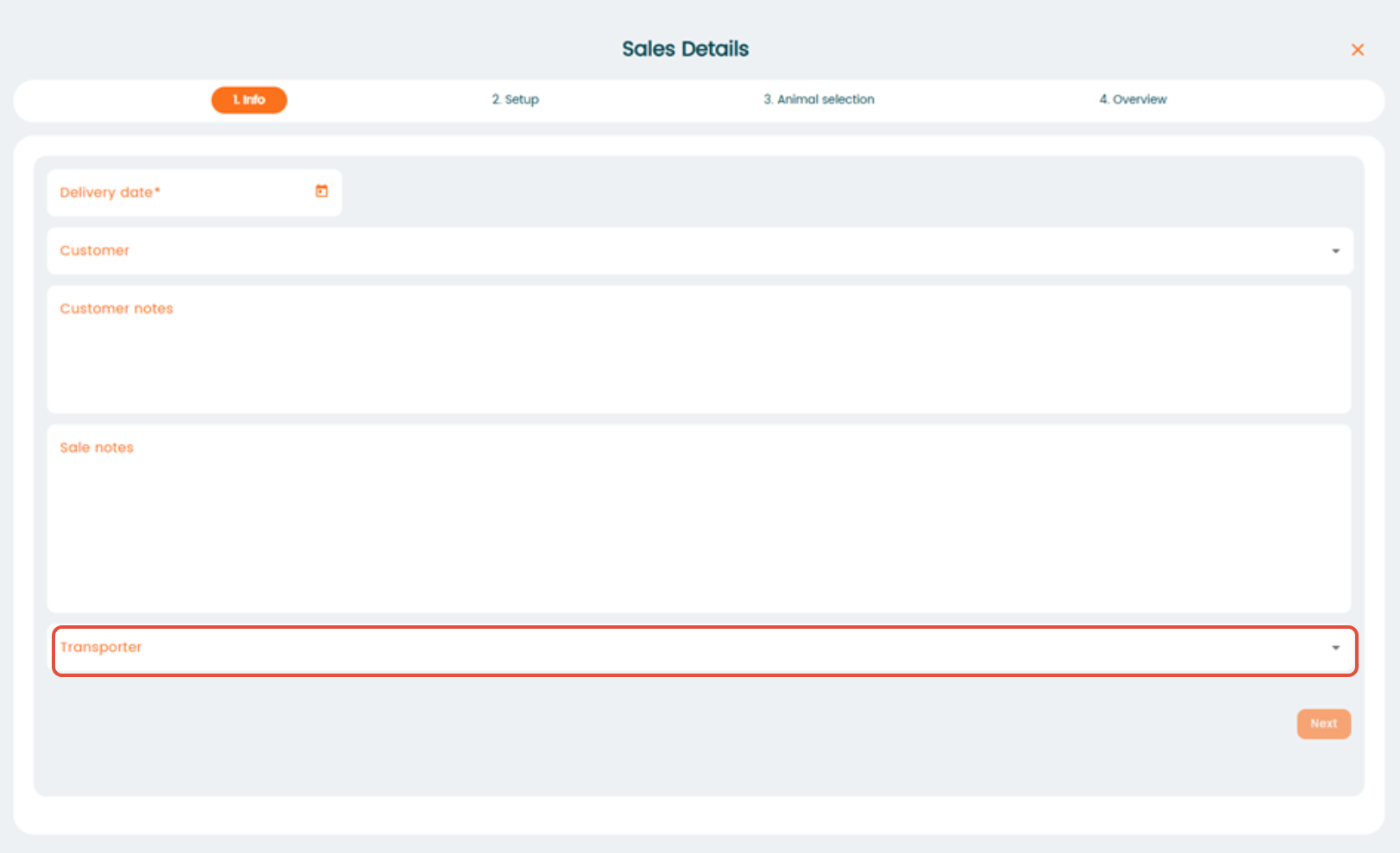
For creating a new sale, go to the Menu "Selling of animals", here you can select the appropriate transporter. Read more to find out more about how to create a sale.
For Canadian farms, opening the delivery note from the sales page will now display the "Bill of Lading" instead of the standard delivery note.