
It is possible to enter various expenses in PigVision that you have had in relation to your herd. The expenses will be used in the finance section in your E-control during the period corresponding to the date of the expense.
However, before you can enter the expense, you must first create the different types of expenses.
Go to "General entries" - "Other cost type".
Here, you will find the existing number of standard cost types, and at the bottom of the window, it is possible to create your own. Click here to find a guide on how to create these. 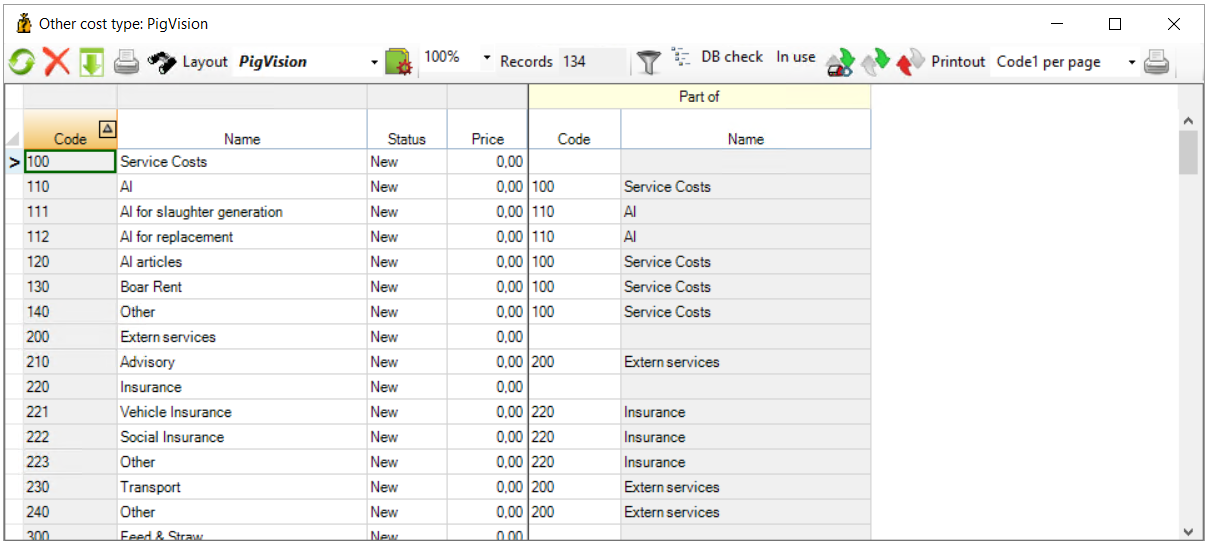
To avoid entering your fixed costs (e.g. monthly fixed expense) every month, you can register these by going to "General entries" - "Fixed prices" - "Cost". Click here to find a guide on how to enter this. 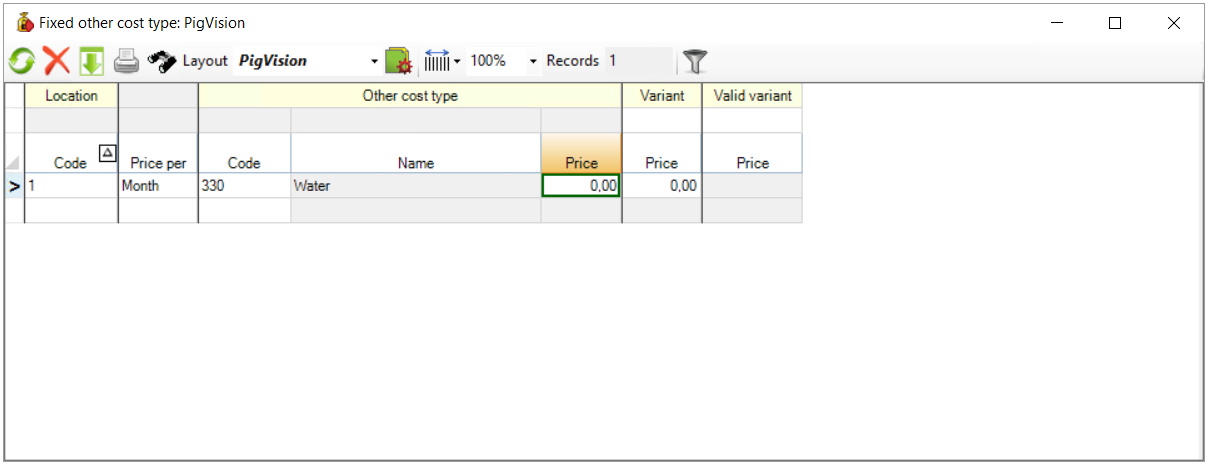
Now, you are ready to register your costs.
Go to "General entries" - "Cost".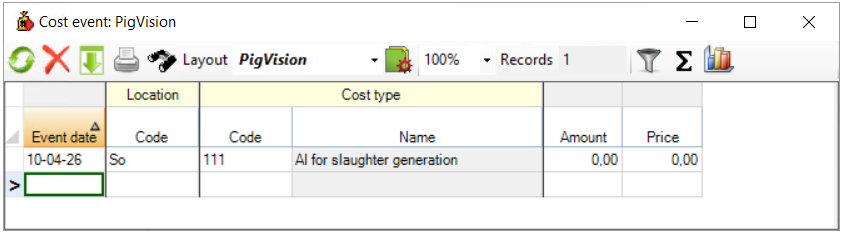
- "Date": Start by recording the date of the cost.
- "Location": Enter the code of the location that the cost applies to.
- "Income type": This is where you specify what kind of expense it is. Tap the icon with binoculars to see your options.
- "Amount": Enter the number or amount of the cost.
- "Price": Here, you write the price of the cost. However, PigVision can calculate this price based on the amount, if you have entered a price in "Other cost type".