To delete an employee, go to “Settings”- “Management” - “Employee.”

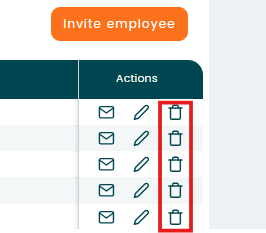
Select the employee you want to delete, then click the bin icon in the “Action” column.
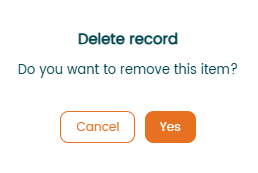
Confirm "delete record"

Modified on: Wed, 18 Mar, 2026 at 2:06 PM
To delete an employee, go to “Settings”- “Management” - “Employee.”
Select the employee you want to delete, then click the bin icon in the “Action” column.
Confirm "delete record"
Did you find it helpful? Yes No
Send feedback