
In the "Calendar" view, you can see all tasks assigned to dates and employees. Click the "'Calendar" icon on the "Home" screen to open the calendar view.

Tasks created in the "Task Management" menu are displayed here. You can also create new tasks directly from the Calendar view.
Read more to find a guide on how to create these.
In the calendar view, you can select an employee to see their tasks and switch between "Month", "Week", or "Day" views. If a task is not assigned to an employee, it will appear on all employees’ calendars.
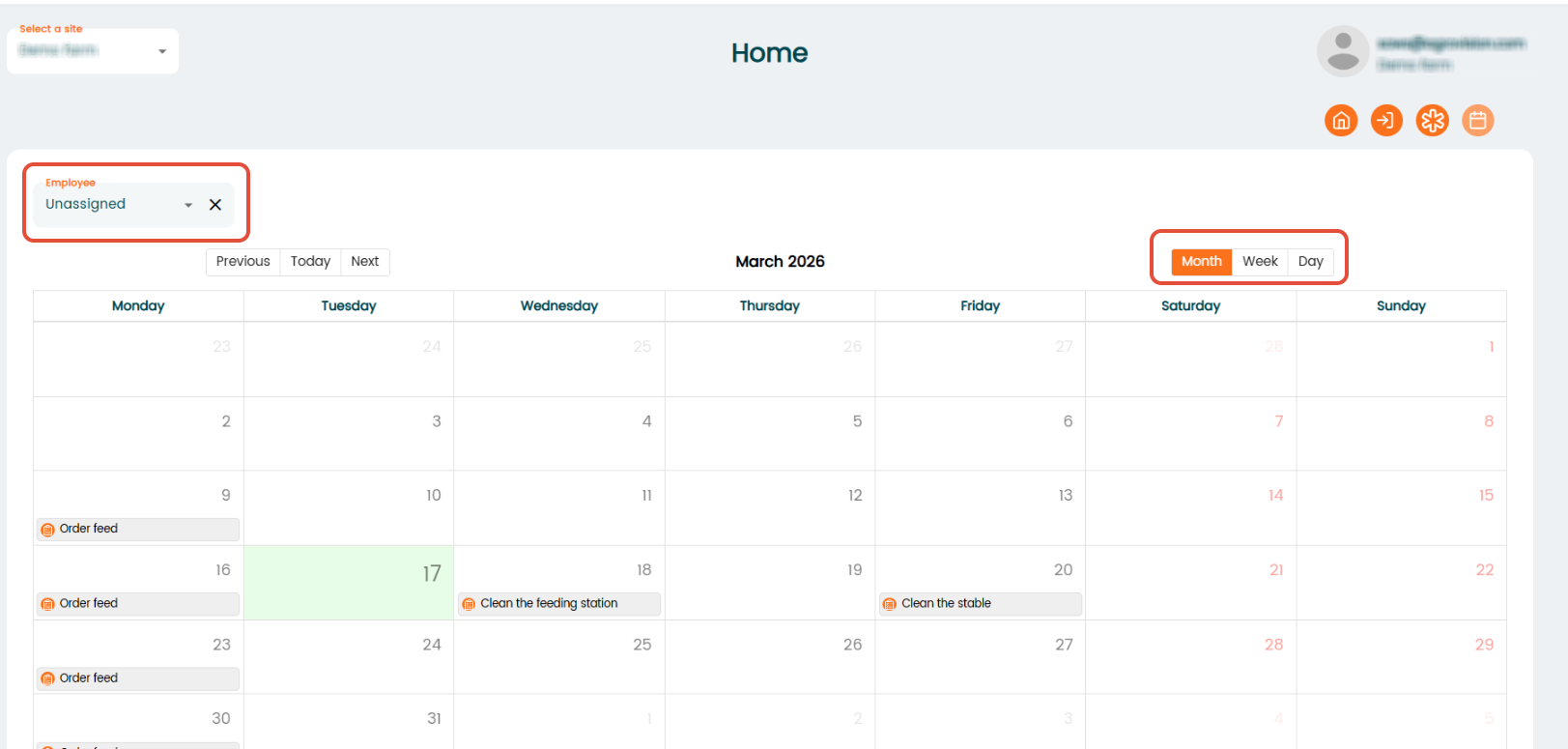
To create a new task, click on a date and a pop-up will appear where you can enter task details.
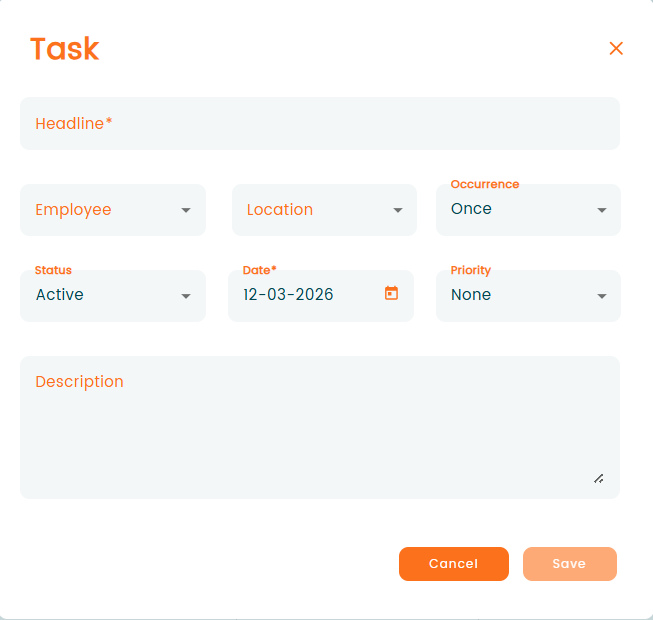
Enter the relevant information for the task and click "Save". The task will then appear on the calendar.
If a task is not assigned to an employee, it will appear on all employees’ calendars.