NB. Topigs Norsvin only.
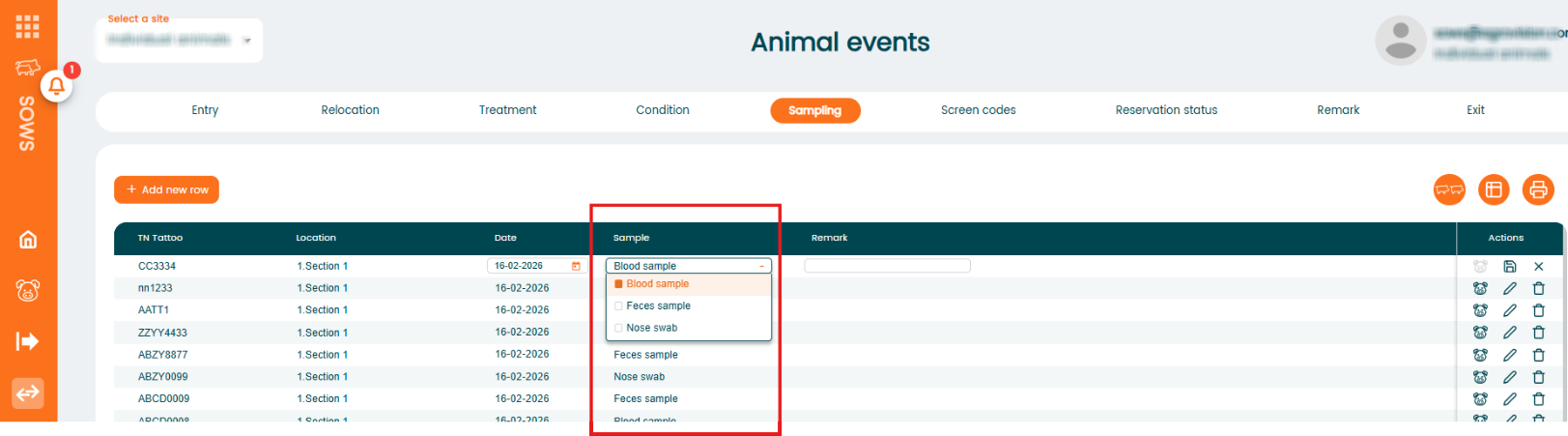
The Sampling function allows you to record samples taken from animals. The program includes three predefined sampling types that can be selected:
- Blood sample
- Feces sample
- Nose swab
These sampling types are built into the system and cannot be changed or extended.
Add a Sampling for a single animal
- Go to "Animal events" - "Sampling".
- Click "+ Add new row".
- Enter the required information such as animal number, date, and any remark if needed. ""Select the appropriate sampling type from the dropdown list.
- Save the record.