
Web application
Improved data entry and design
With this release, the way of entering data and the design has been updated in AgroVision Growers.
Improved design
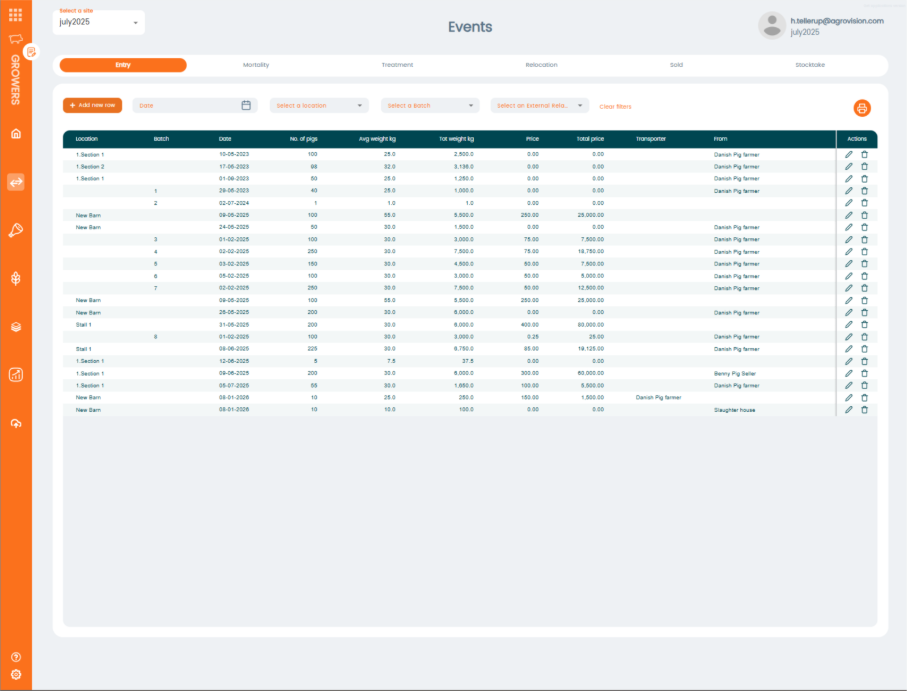
The design has been updated with a new table layout. To provide a better overview of the data, zebra striping has been introduced in the tables.
New design
Zebra stripes have been introduced for better overview
The graphical presentation of the data in the event pages has been removed. This to provide better room for the data table.
The “Add new” button has been moved above the table for consistency.
“Action column” has been created
Eidt / Save buttons
Trashcan for delete
New design of the different dropdowns.
Location selection
Batch selection
Date picker
Other dropdowns.
Improved data entry
To make it easier to enter data only with keyboard the following has been made.
“Arrow keys” can be used in drop downs to navigate.
“Down” to open drop down.
“Right / left” to open ex. Sections below a location.
“Up” to navigate up.
“Space bar” to select in drop down.
“Enter”
Go to next field
At the last field in a row – it will save the line and open new line for data entry.
“Tap”
Navigates to Next / previous field.