To sell your breeding stock, you can use the menu "Selling of animals". In this menu you will create your sales, create a customer catalogue and enter the transaction details of your breeding animals.
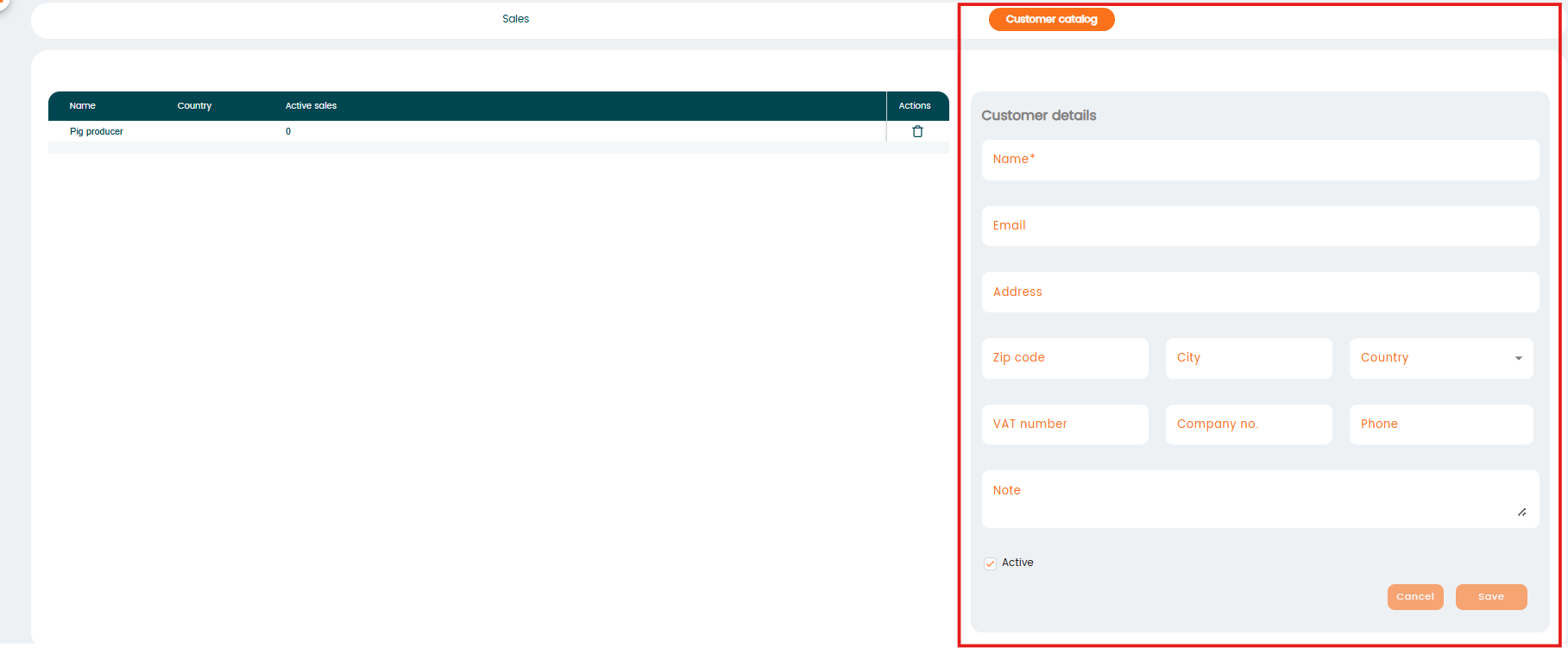
Before selling animals, you must first create all the customers you will be selling to. The "customer list" can be created under "Settings" - "Management" - "External Relations", by checking the "Customer" box. Read more. Alternatively you can add a new customer from the menu "Selling of animals" by choosing "Customer catalogue".
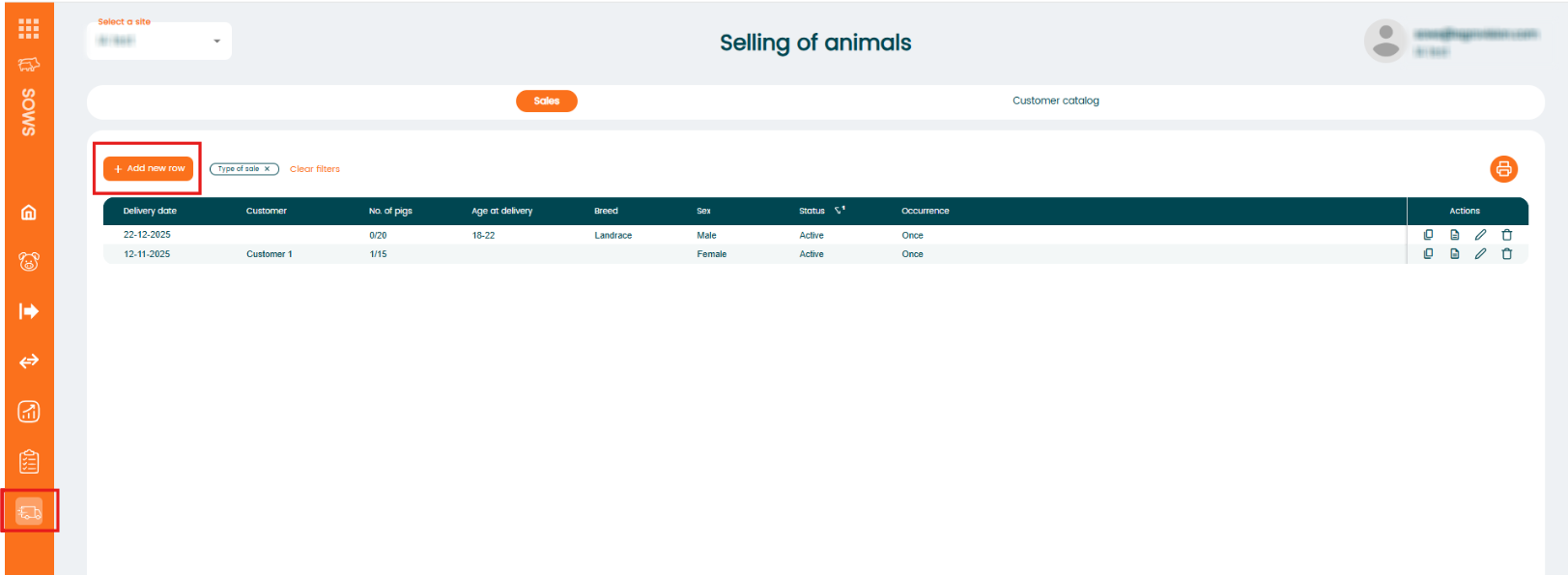
To create a new sale, go to the menu "Selling of animals". Existing sales will be shown. To create a new sale click "+Add new row":
When creating a new sale, you can choose between a "single sale" or a "repeating sale". Options will appear when you click on "+Add new row":

- "Single sale" (one-time sale):
A sale that occurs only once. It is not scheduled to happen again automatically. - "Repeating sale" (recurring sale):
A sale that repeats automatically based on a schedule you set (e.g., weekly, monthly).
You can configure the recurrence so the system creates new sales for this customer at the selected intervals.
Single sale
When you click "New Single Sale" a new window will open. Here, you’ll need to enter the sale details and choose the animals you want to include in the sale.
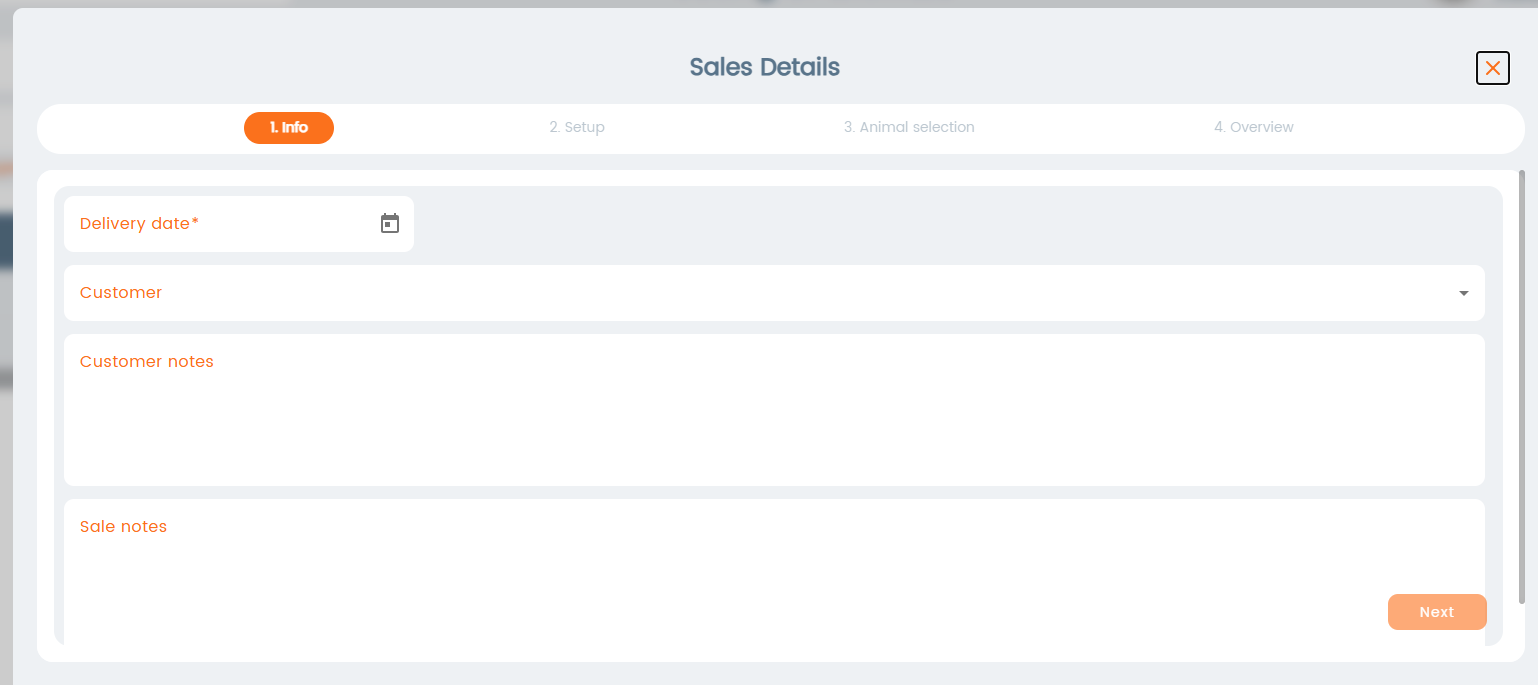
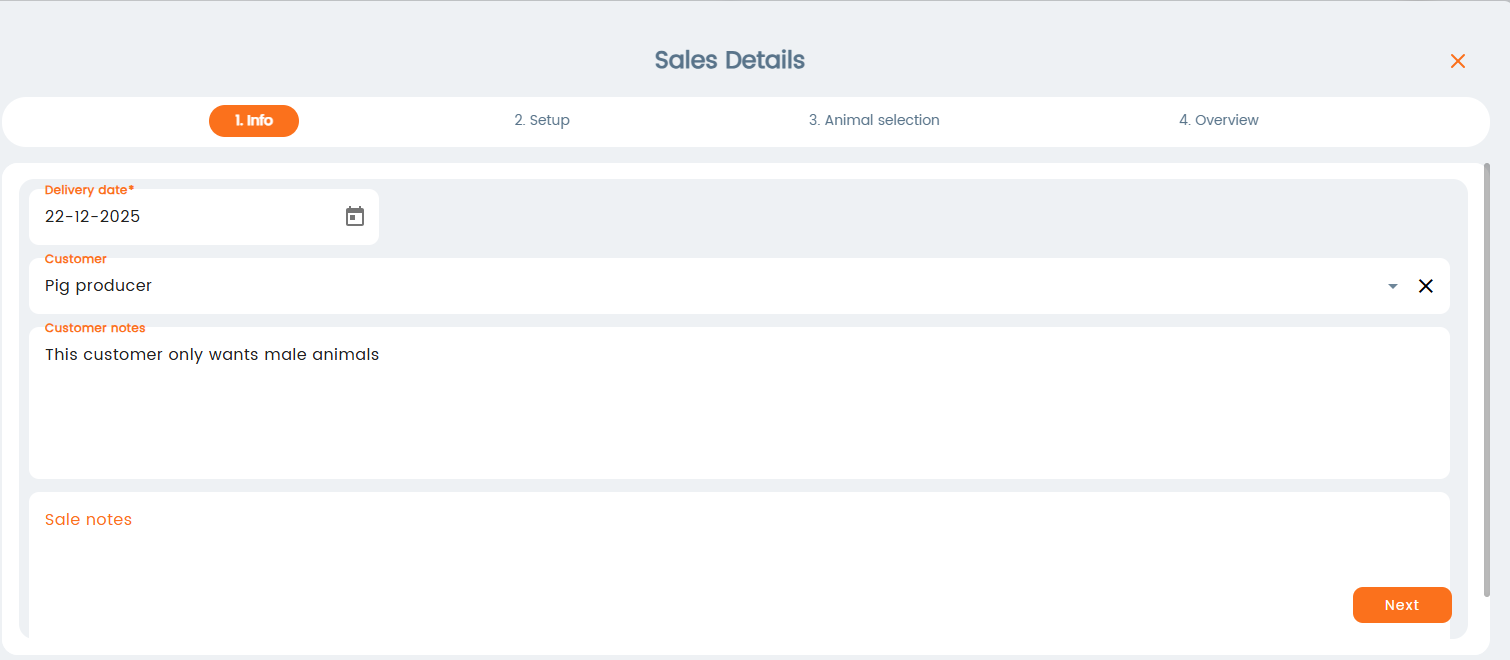
Enter the "delivery date" (required), then select a customer from the list. Note: customer is not required in this step, it can be added later. You can also enter "Customer Notes", which will be visible for internal use only. Click "Next".
The "customer list" can be created under "Settings" - "Management" - "External Relations", by checking the "Customer" box or you can add a new customer from the main menu by choosing "Customer catalogue".
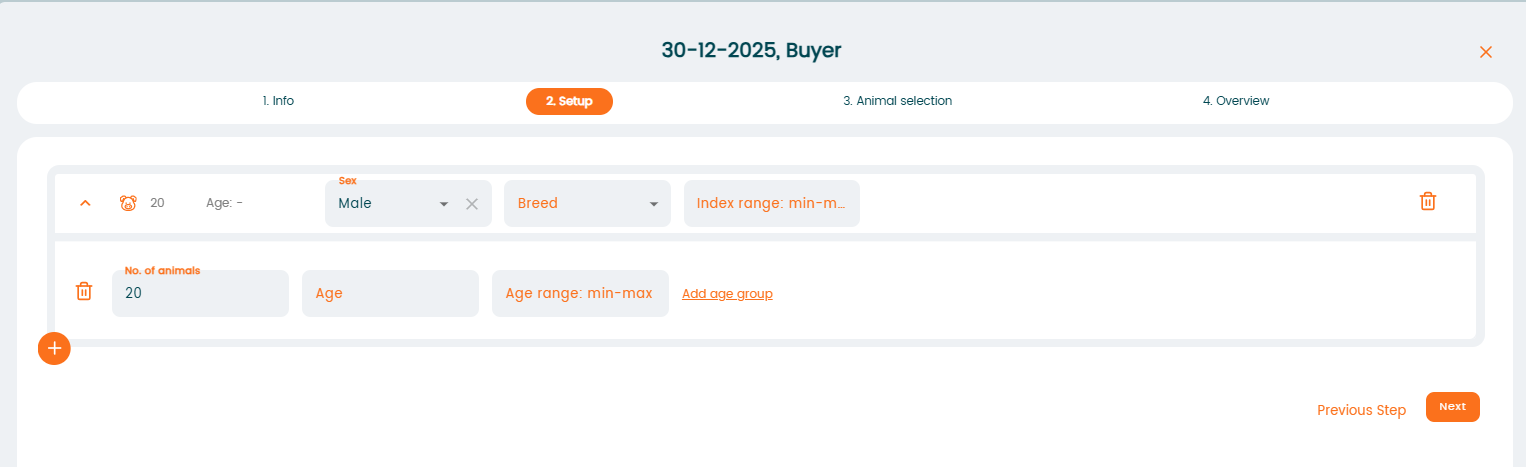
In the "Setup" window, you can define the criteria for which animals should be selected, such as age, sex, breed, etc. If you don’t want to set any criteria, you can skip this step and go directly to the "Animal Selection" menu. Click "Next".
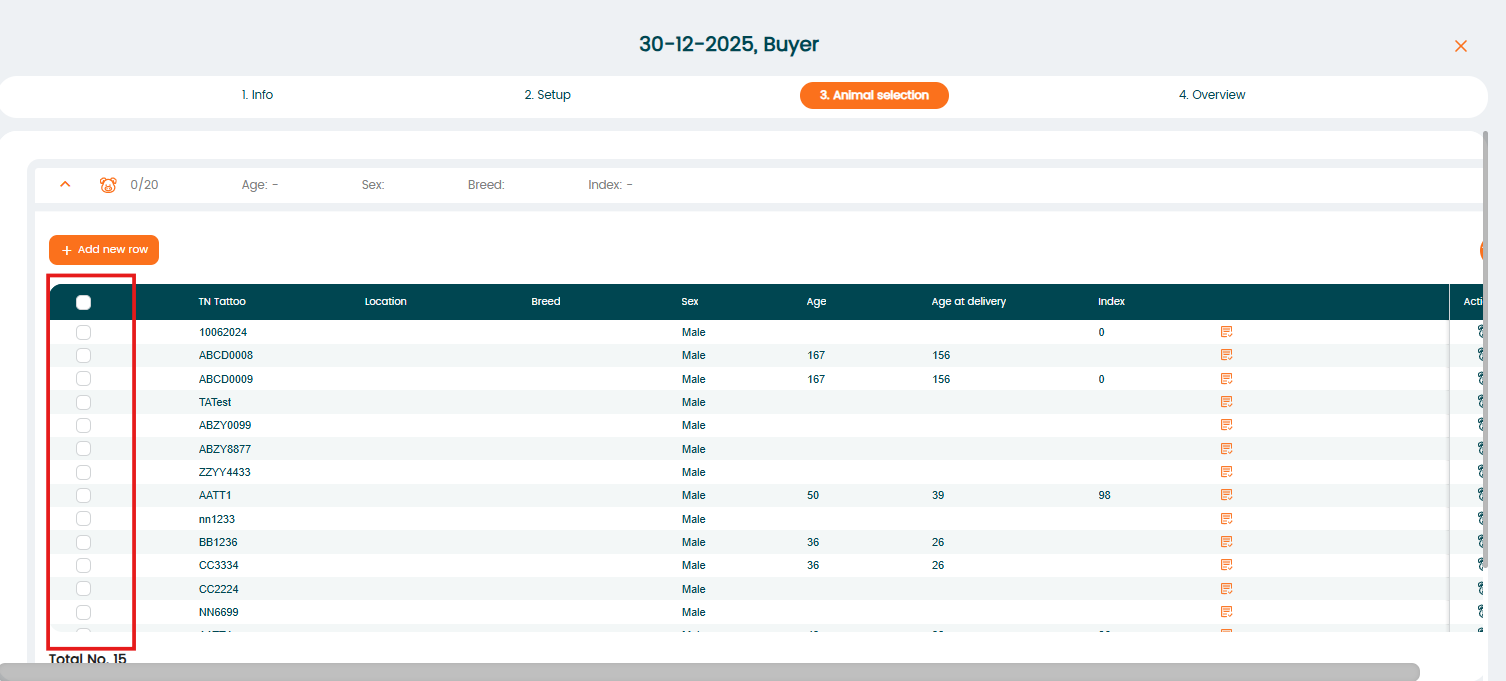
The "Animal Selection" window will display animals based on the criteria you set. If you skipped setting up criteria, you can add animals manually by clicking the “+Add new row” button.
Select the animals from the list that are valid for sale by checking their boxes, or select all animals by clicking the checkmark at the top.
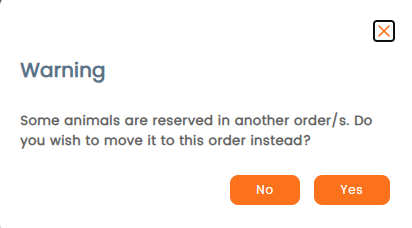
If the sale criteria are not met, the program will warn you in the next step.
In the final step, you’ll see an overview of the selected animals. To complete the process, click "Approve". The sale will then be created. Note: a sale can only be approved a maximum of one day into the future.
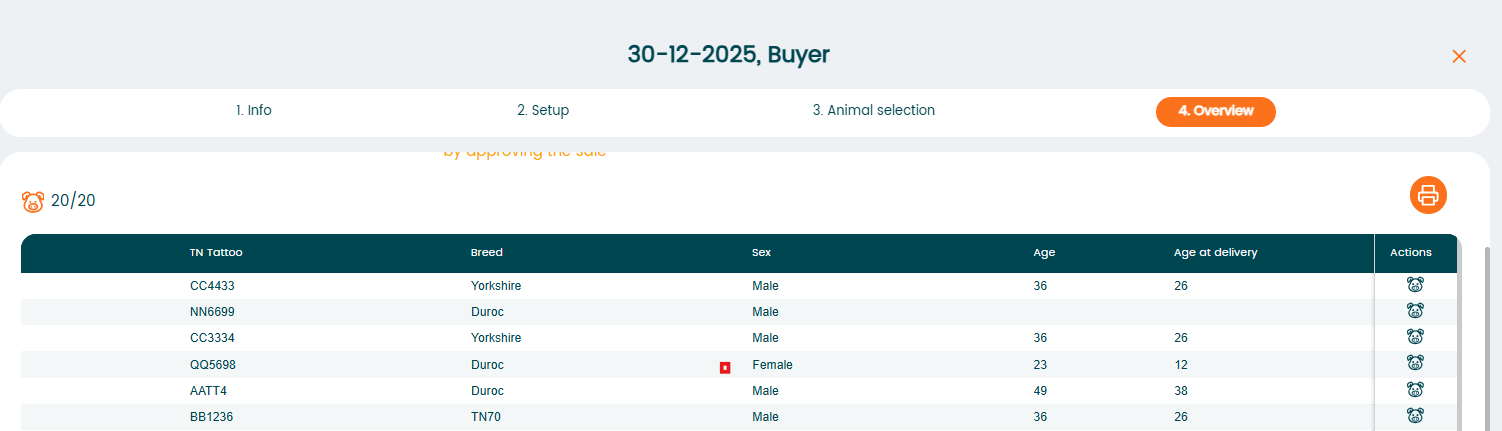
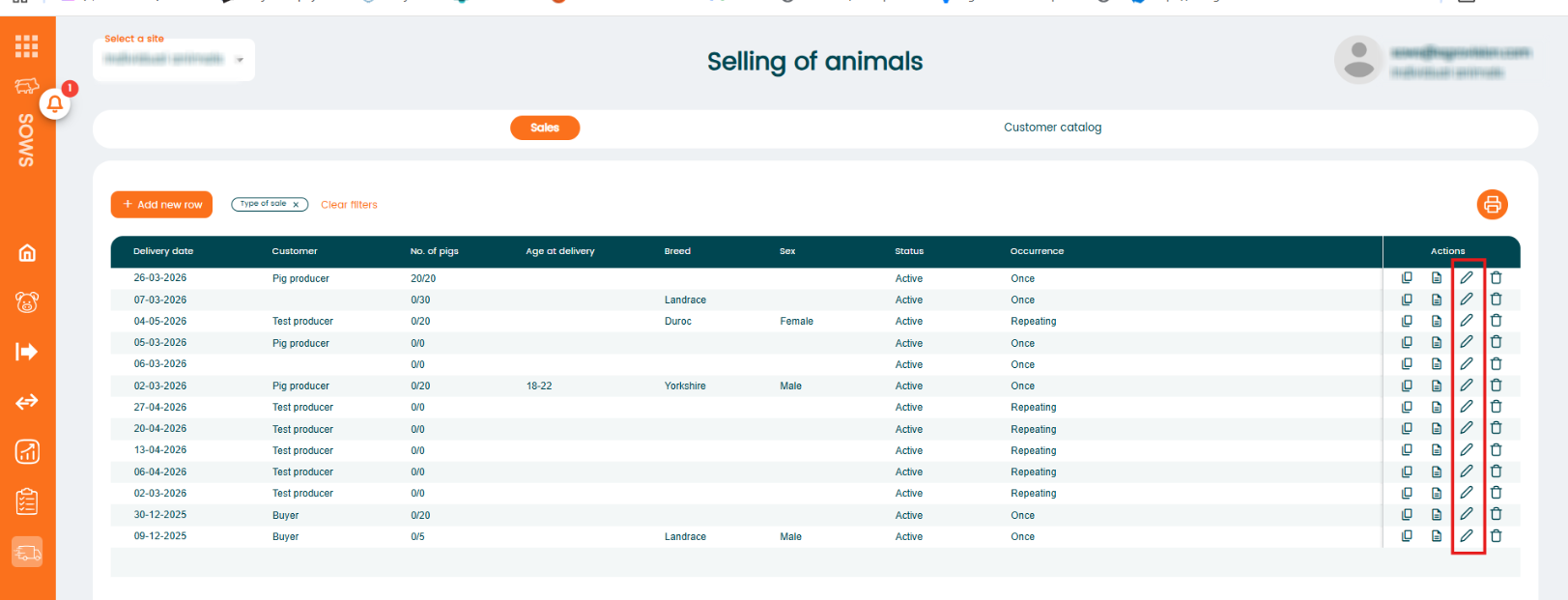
To edit a sale, click on the row you want to edit and it will automatically become editable. Alternatively, you can click the "pencil" icon in the "Actions" column to enable editing.
Repeating sale
When selecting "repeating sale", a new window will pop up asking to enter the reoccurrence:
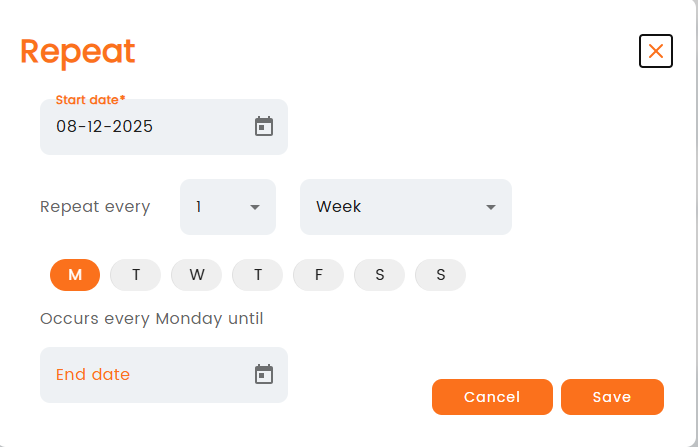
Select your criteria on how often you want the sale to repeat and press save.
In the next window, the starting date will be shown and it will also be visible that it is a repeating sale. To correct the reoccurrence, click on the pencil next to Occurrence. Select customer and add customer notes if needed.
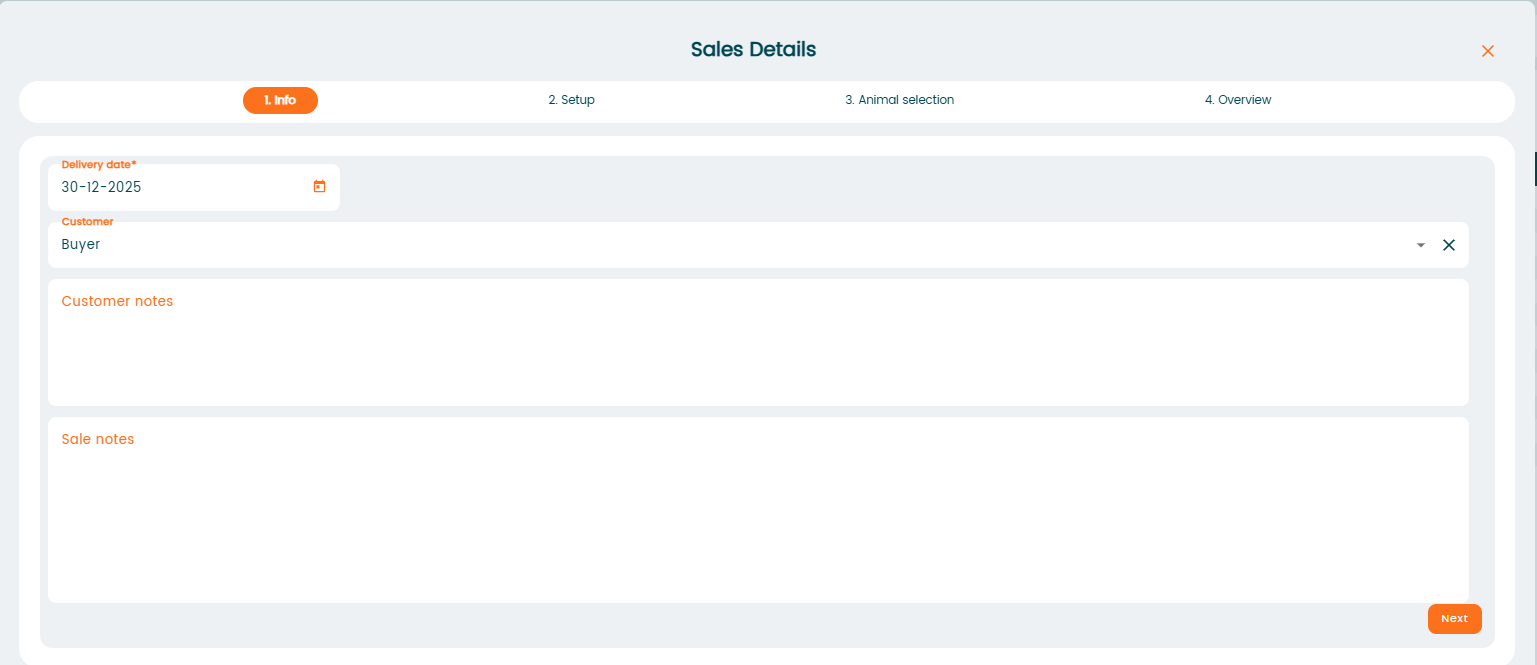
In the next step you can set the criteria for the sale, such as number of animals, breed, age, etc.
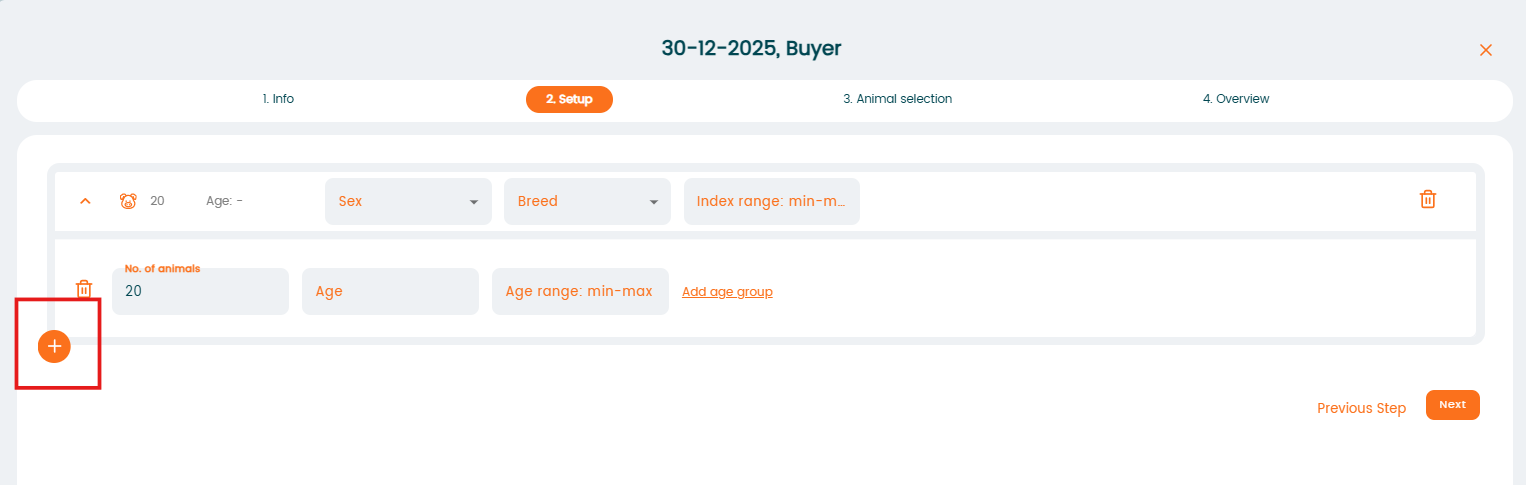
It is also possible to add more criteria by clicking on the "+" sign at the bottom left of the screen.
When you have created your sales, the program will return to the first page showing all existing sales, including repeating sales:
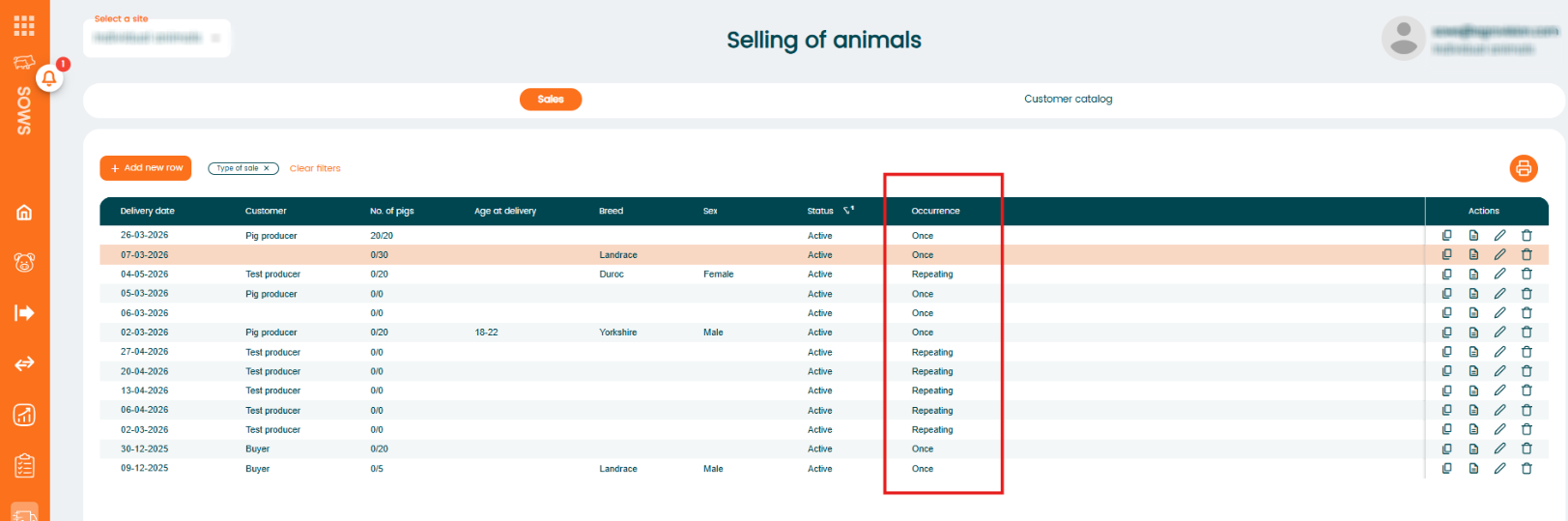
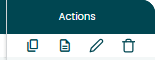
Actions column
The "Actions" column provides quick options to manage your sale. You can copy an existing sale to create a similar one, open the delivery note for the sale , edit the sale information, or delete the sale if it is no longer needed.
Send delivery note
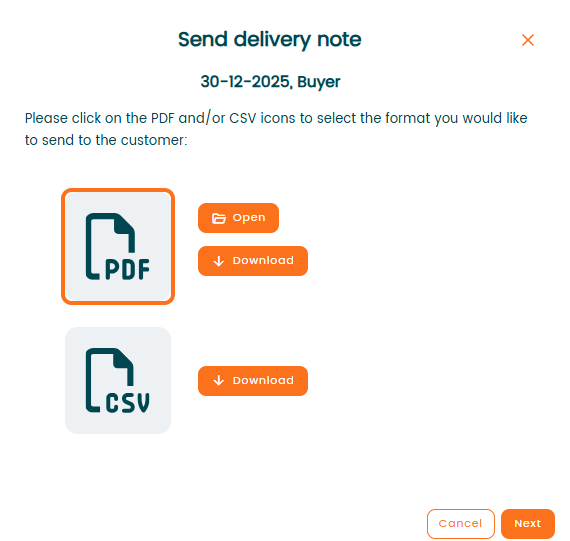
To send a "delivery note", click on "delivery note" icon under the "Actions" column

A new window will pop up, where you can select the file format you want to open or send. Click on the file format and select "Open" or "Download". Click "Next" to procced.
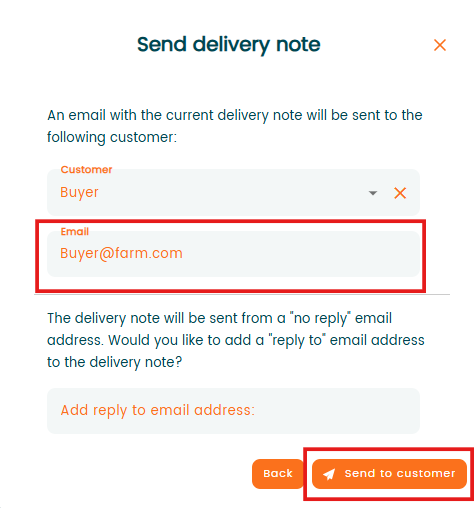
Check and correct if needed customer details and click "Send to customer".