
In this article we show with an example how to edit data in the program. The way to do it will be the same for the rest of the registrations you need to edit in the program.
When you want to edit an existing registration go to the table where the registration you want to edit is saved. In this example we are editing an entry registration. We go to "Animal events" and select "Entry" to see all the entries. We click on the row we want to edit and it will automatically become editable. Alternatively, you can click the "pencil" icon in the "Actions" column to enable editing.
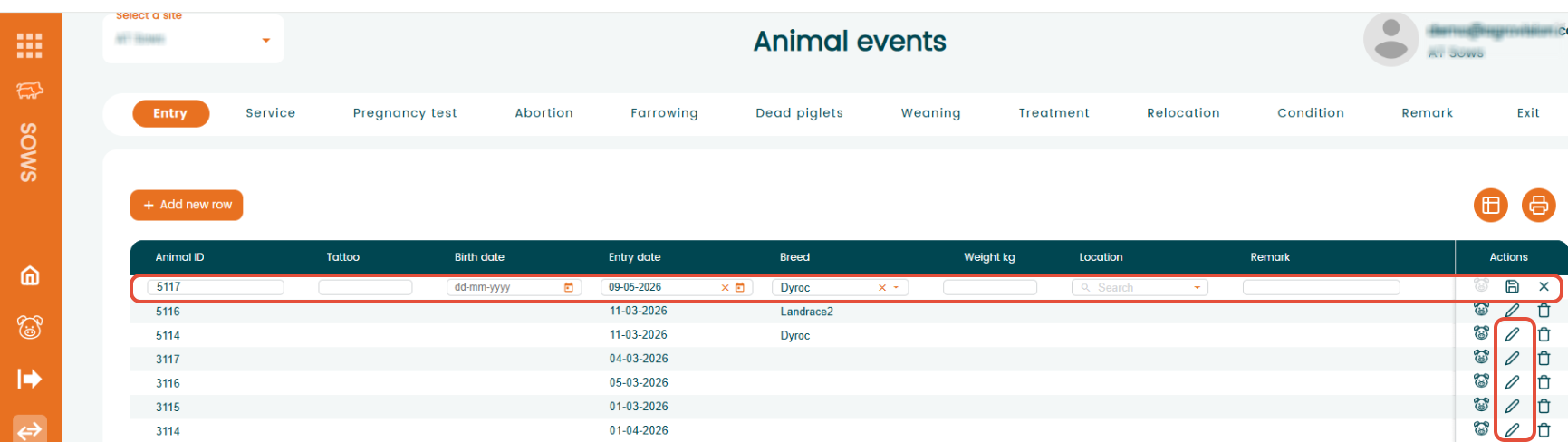
All the information that can be edited with your keyboard. Update the necessary fields with the correct information. Once you have edited the data click "Enter' to save the line.