
"Animal Overview" is the main screen where you can see and manage all animals on your farm in one table. This menu will provide you with:
- A complete list of animals (individual view);
- Filtering options to quickly find specific animals;
- Customizable column layout to display only the information you need.
When you open "Animal Overview", the system displays all animals belonging to the selected site (farm). There are two separate lists: one for Sows and one for Boars, so you can easily find the animals you are looking for.
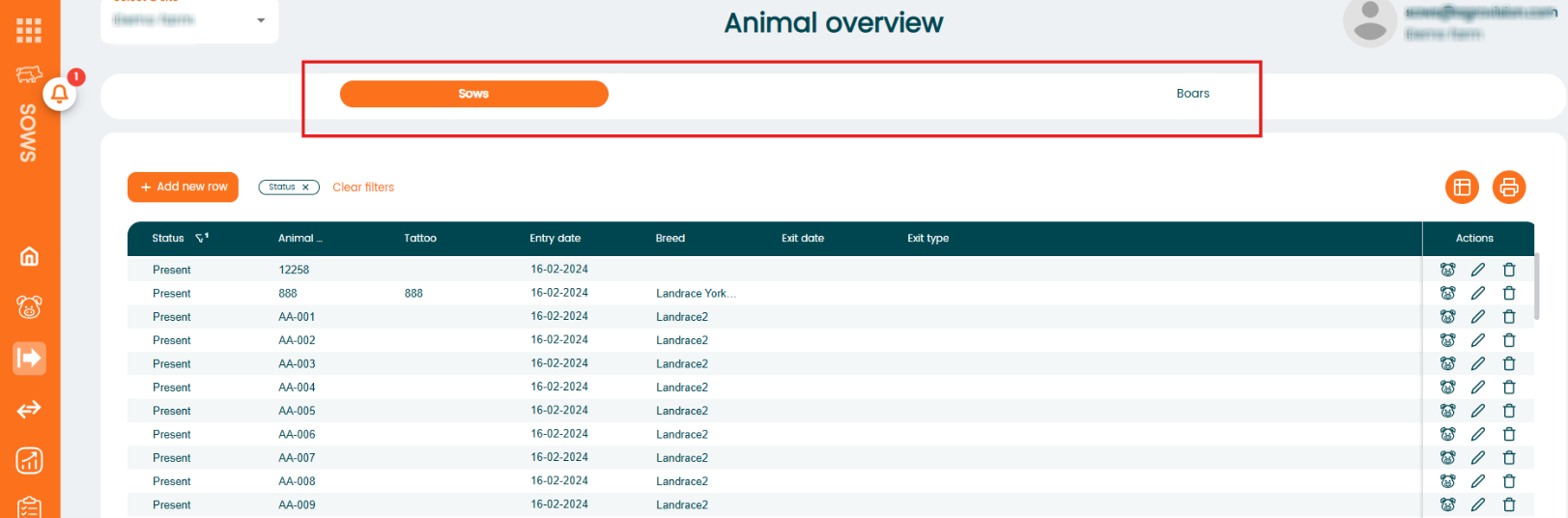
Filtering animals
You can use the filters in each column to sort and narrow down the information. The filter option appears when you move your mouse over a column header. You can select as many filters as you need to see or print exactly the information you want.
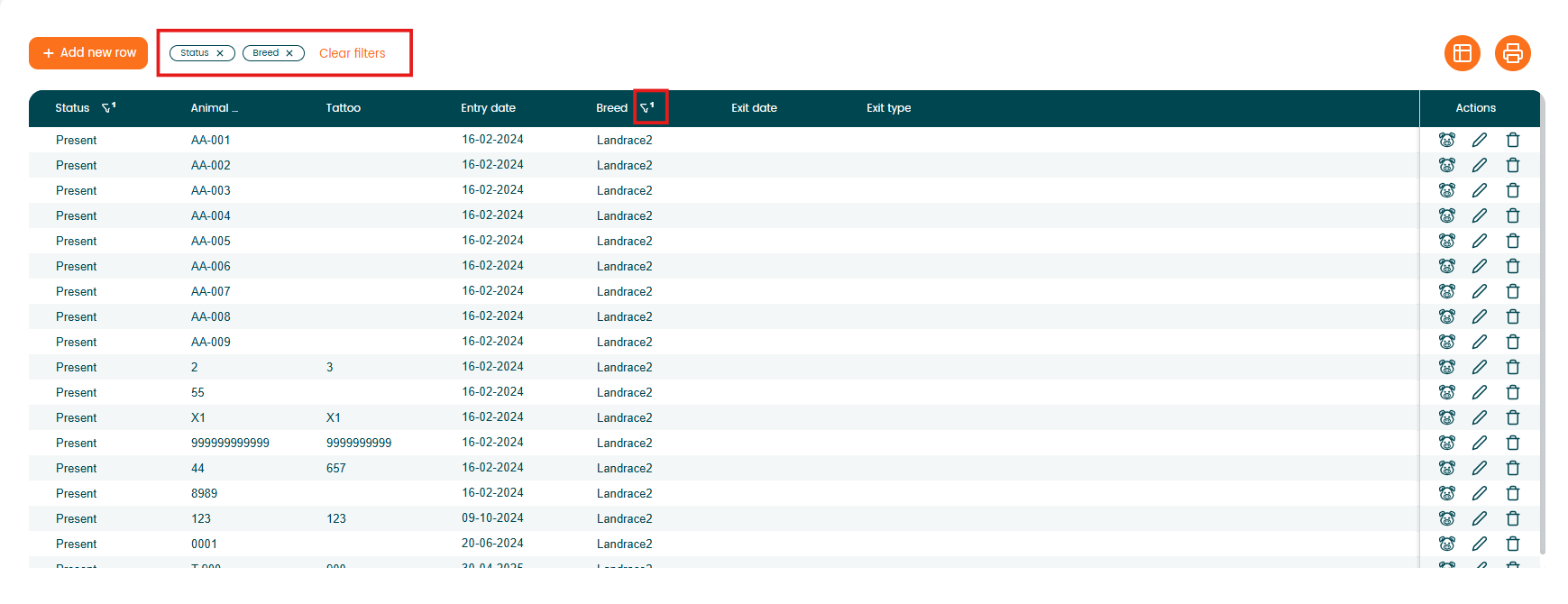
To remove a filter, simply click the “x” next to the selected filter.
Customize "Animal overview" table by selecting columns
You can customize which columns are visible in the Animal Overview table. Click the "column selection" icon located in the top right of the table.

The "Column selection" window will open.
The window contains:
- Available columns (left side) – columns not currently displayed;
- Selected columns (right side) – columns currently visible in the table

To add a column to your layout:- Find the column in the "Available columns" list. You can use the "Search column names" field to find it quickly.
- Select the checkbox next to the column name.
- Move it to Selected columns (using the arrow button)
- Click Save.
The column will now appear in the "Animal Overview" table.