
The dashboard presents essential key figures over time in a graphical format, allowing you to quickly assess the status of your farm.
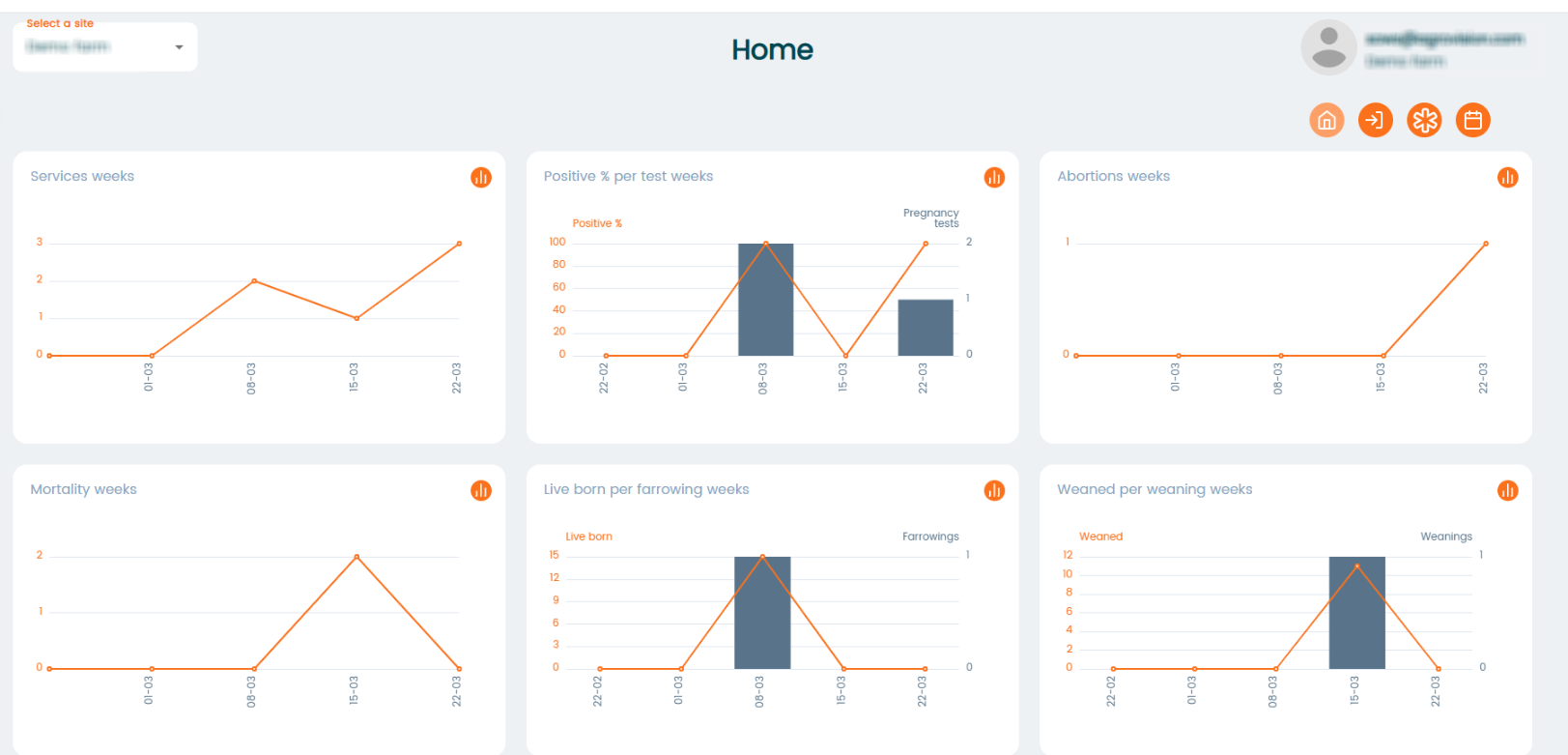
By hovering your mouse on a block or line it will display more information about what makes up the information
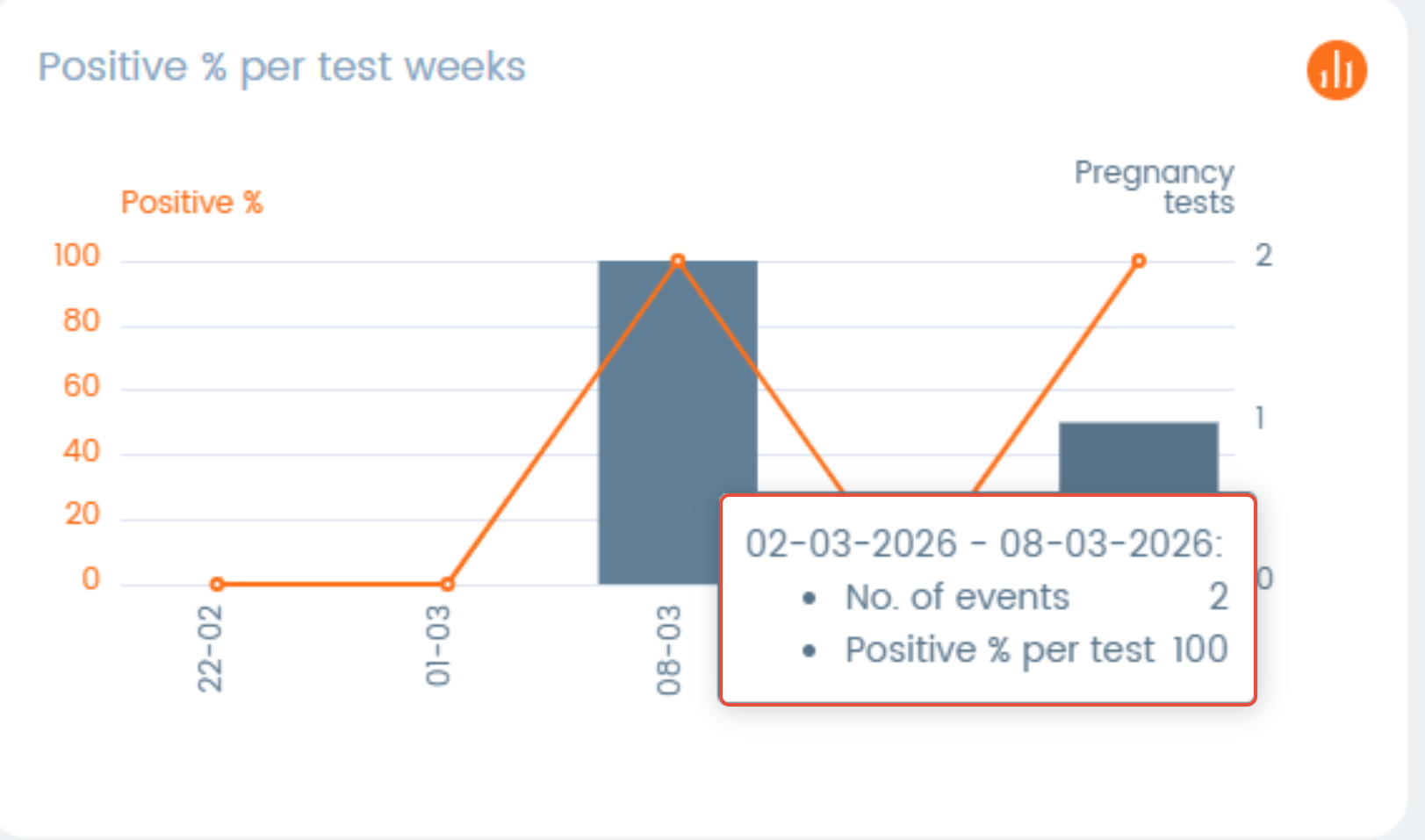
Click on the “See more” icon to view detailed information behind each dashboard item.

Within the detailed view, you can refine the data using the following filters:
Select date range
Select location
Select batch
You can also define a farm goal, which will be displayed alongside the dashboard data for comparison.
Click on the “Medicine” icon to access graphs related to medicine usage.

These graphs provide an overview of medicine usage on your farm:
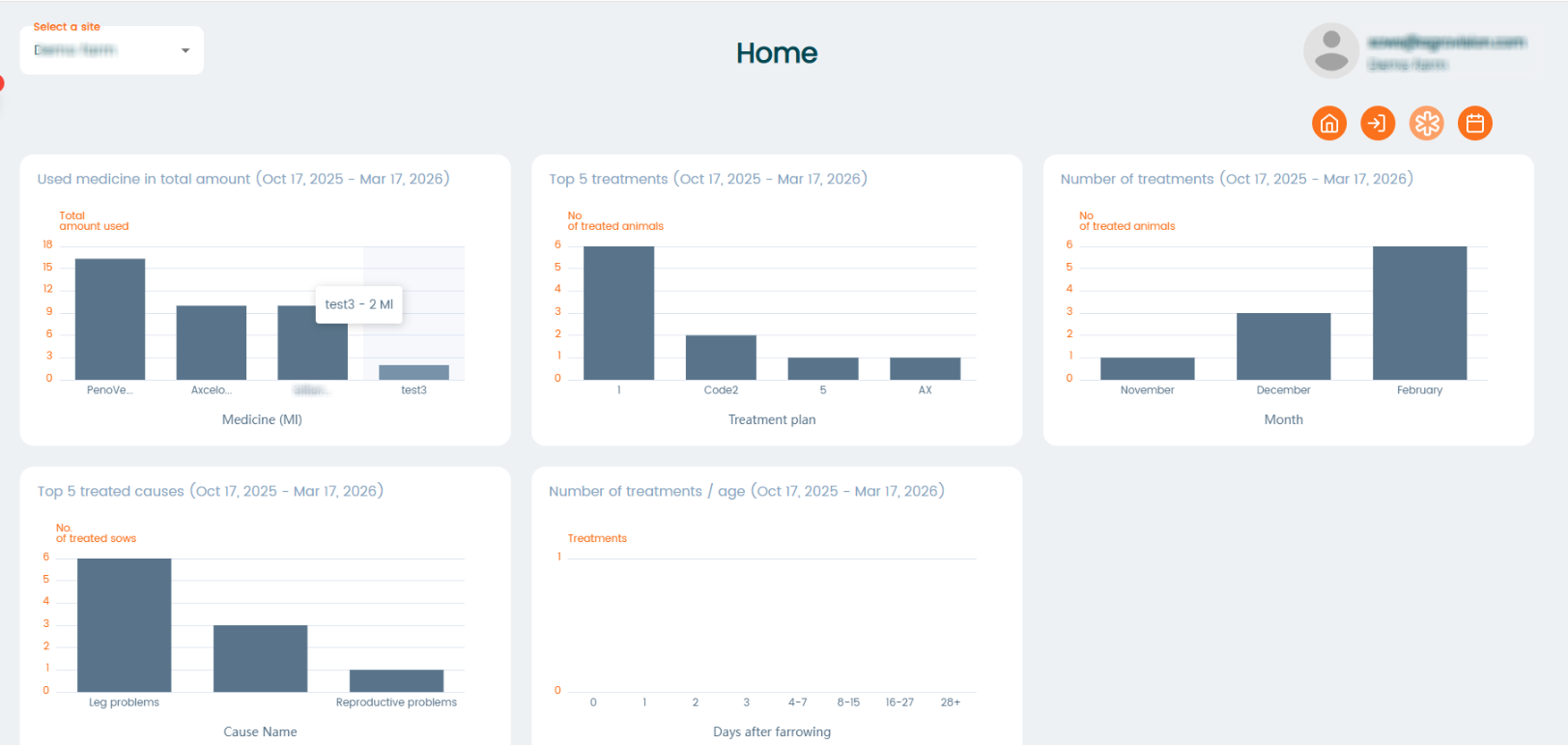
- "Used Medicine in Total Amount" – Total amount of medicine given to pigs on the farm per medicine type.
- "Top 5 treatments" -shows the most frequently used medicines, helping you identify which treatments are applied most often.
- "Number of Treatments" – Displays the total count of treatments per period.
- "Top 5 Treated Causes" – shows the top 5 causes used for treatments in a period.
- "Number of Treatments / Age" – Displays the total count of treatments by age.
Click on "Exit" icon to access graphs related to animal exits on the farm.

These graphs provide an overview of pig exits on your farm:
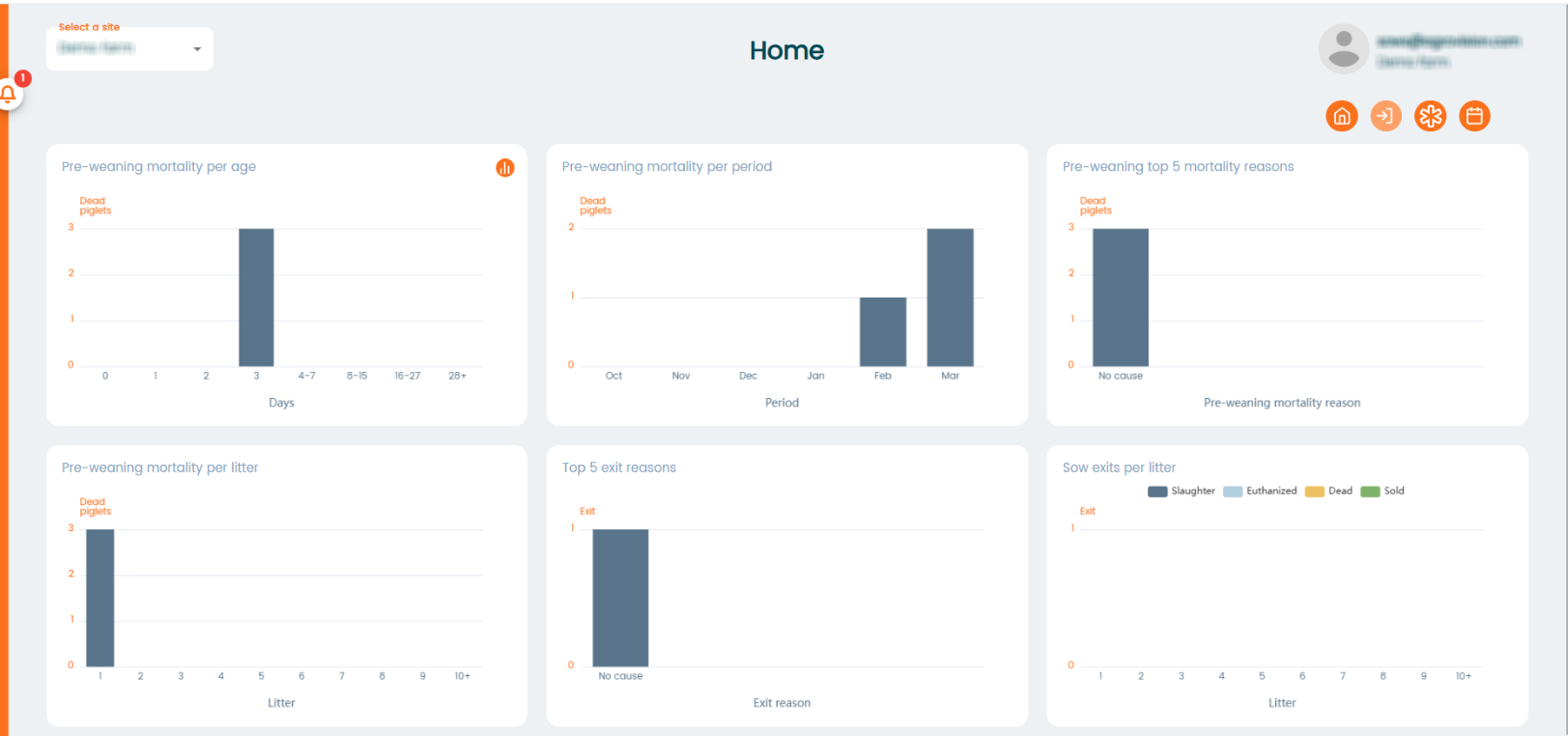
- "Pre-weaning mortality per age" - shows the age of piglets which have died in the period between their birth and weaning.
- "Pre-weaning mortality per period" - shows the total number of piglets which have died in the period between their birth and weaning in a period.
- "Pre-weaning top 5 mortality reasons" - shows the 5 most common death rreasons of piglets before weaning.
- "Pre-weaning mortality per litter" - shows number of piglets which have died before weaning per litter.
- "Top 5 exit reasons" - shows 5 most common used causes for sow exits.
- Sow exits per litter" - shows total number of sow exits per litter.