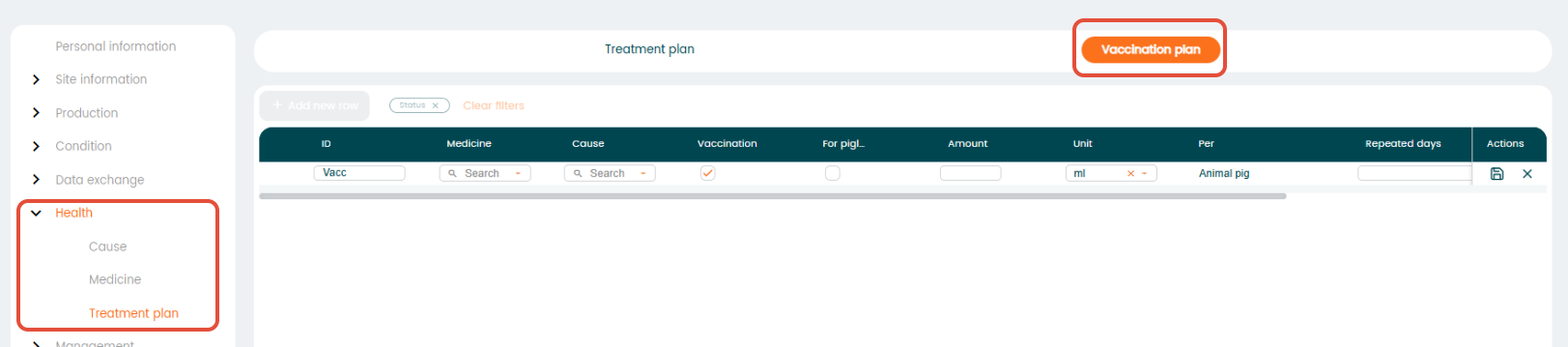
Using treatment plans helps you manage your animals’ health efficiently. By linking causes to the right medicines, you can quickly treat issues and keep care consistent.
It is possible to treat your animals in the program when you have created one or more treatment plans. A treatment plan consists of a cause and a medicament.
Go to "Settings" - "Health".
First, you need to register the causes, then the medicines and after that you can design your treatment plans.
Start by choosing "Cause" and click on the "+ Add new row" icon. Fill in the information about the cause in the columns as described below.
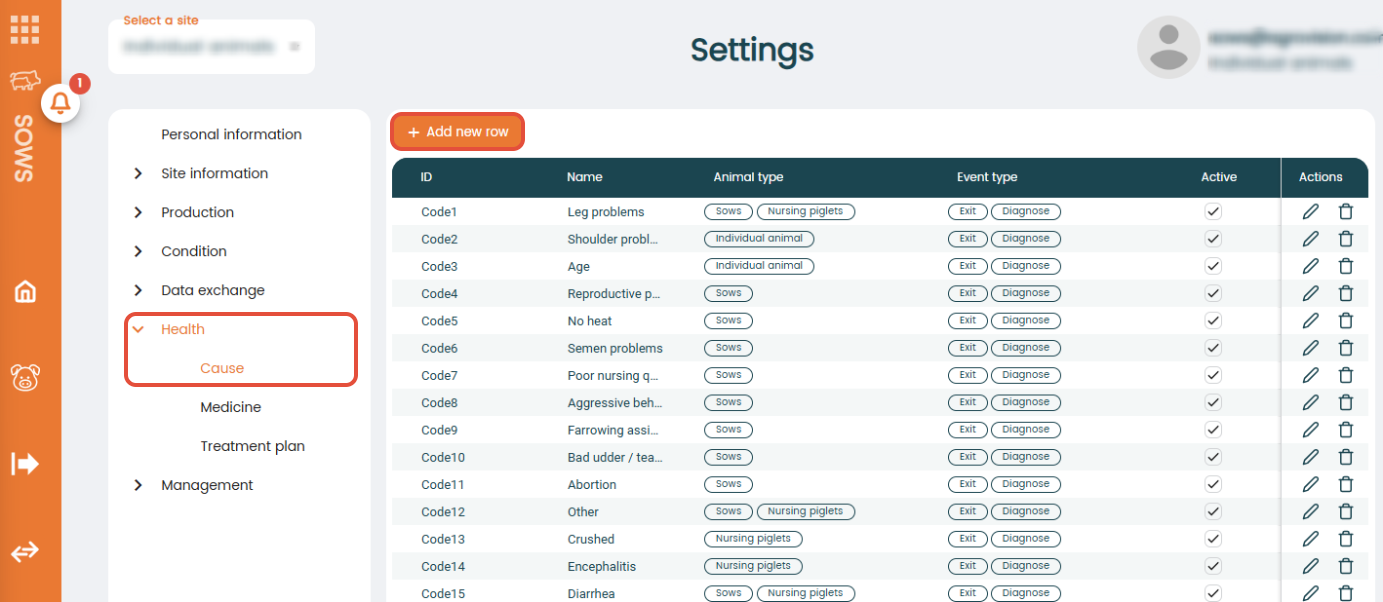
- "ID": Choose an ID for the cause. This ID will be used when registering the cause in the program.
- "Name": Fill in the name of the cause.
- "Animal type": Select the animal type for which this cause can be used. The cause will then appear in the list of causes only for the selected animal type (e.g. suckling piglets). It is also possible to select multiple animal types for one cause.
- "Event type": Decide whether the cause you are registering should be used for the exit of an animal, a diagnosis, or both.
- "Active": When this box is check marked, the cause is active and available for selection in the program. If you no longer use a cause, you can uncheck the "Active" box and the cause will be unavailable for new registrations, however you will still be able to see the cause in previous registrations. It is always possible to set it as active again later.
Now, choose "Medicine" and click on the "+ Add new row" icon. Fill in the information in the columns with the medicaments you want to use.
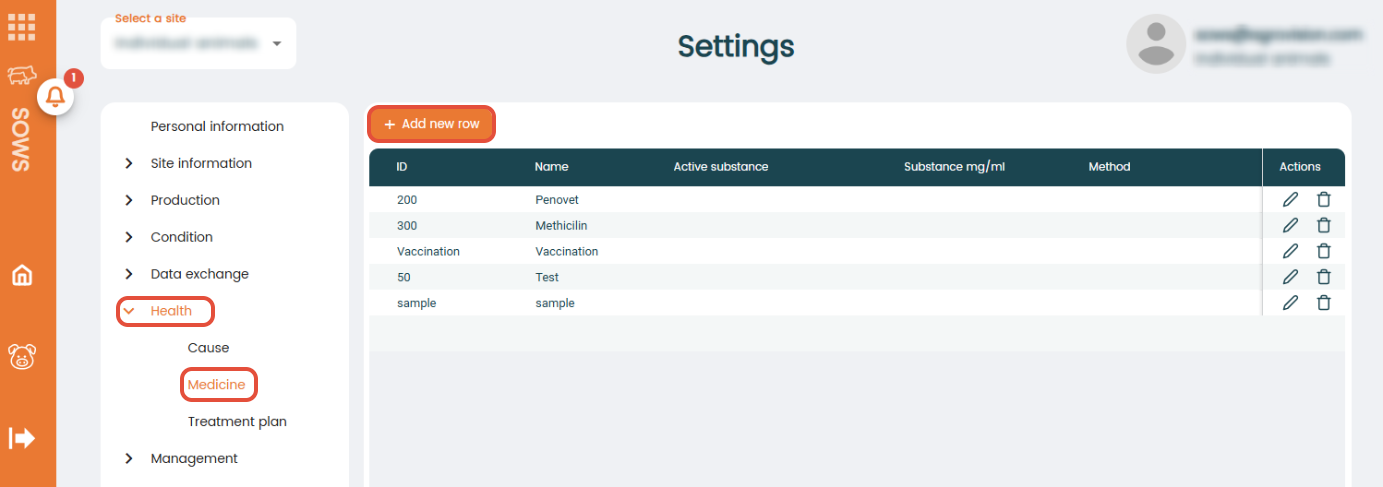
- "ID": Choose an ID.
- "Name": Enter the name of the medicament.
- "Active substance": Enter the active substance of the medicine (optional).
- "Substance mg/ml": Enter the concentration of the active substance in milligrams per millilitre (mg/ml).
- "Method": Choose how the medicine should be given to an animal from the list that appears (e.g. oral or intramuscular).
Now, it is time to combine causes and medicines by choosing "Treatment plan".
In the top of this window, it is possible to create either a "Treatment plan" and/or a "Vaccination plan". Simply click on the type of plan needed and fill in all the information in the columns as described below.
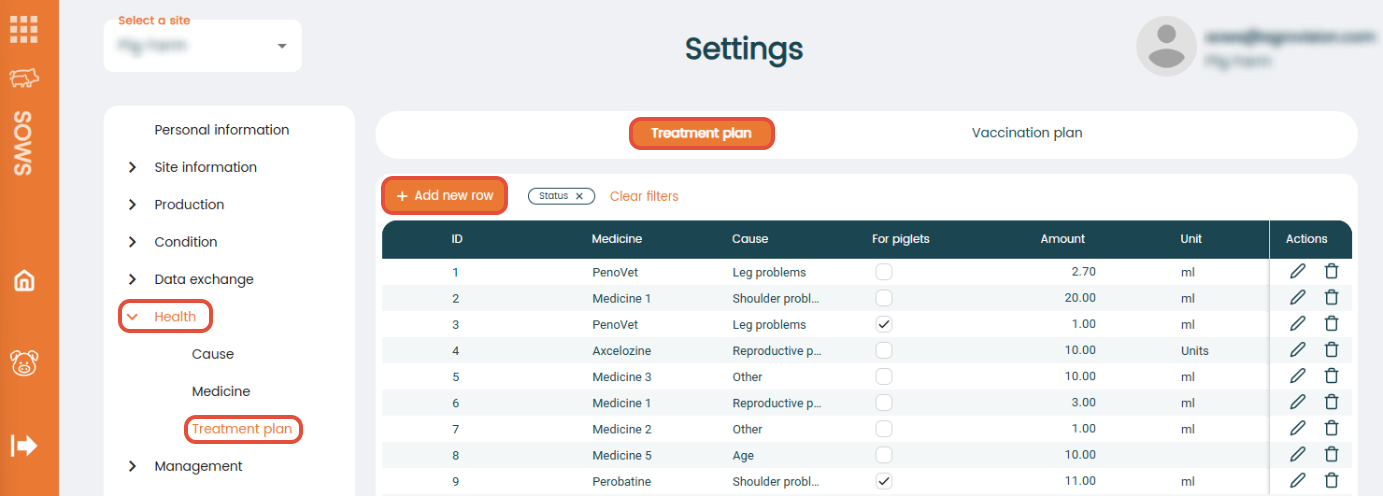
- "ID": Choose an ID for the treatment plan. This ID is the one you are going to use, when you register the treatment in the program.
- "Combi": Only for boar farms. Check mark if you want to set up a combination of multiple treatment plans. Read more.
- "Medicine": Choose one of the medicaments you have created.
- "Cause": Choose the cause created for the treatment.
- "For piglets": Decide whether the treatment plan applies for piglets by adding/removing the check mark.
- "Amount": Add how much of the medicament that should be used.
- "Unit" : Choose the unit.
- "Per": Add if the treatment is per kg or animal.
- "Repeated days": States whether a pig, treated with the given journal, needs repeated treatment as well as when. If the treatment is to be repeated three days in a row, the notation is 1,2,3. If the treatment is to be given every other day a total of 3 times, the notation is 1,3,5 etc.
- "Withdrawal date": How many days the withdrawal period should be for this specific treatment.
- "Status": You can set the status of a treatment plan to "Active", "Passive", or "Hidden"
- Active – Visible for selection when treating animals.
- Passive – Visible in settings but not available when registering new treatments.
- Hidden – Hidden from the settings page. To view hidden journals, use the filter and select Hidden.
Press "Save", and now you have created a treatment plan and can begin to treat your animals.
If you want to register more new plans simply click on the "+ Add new row" icon and again fill in the required information. Remember to press "Save".
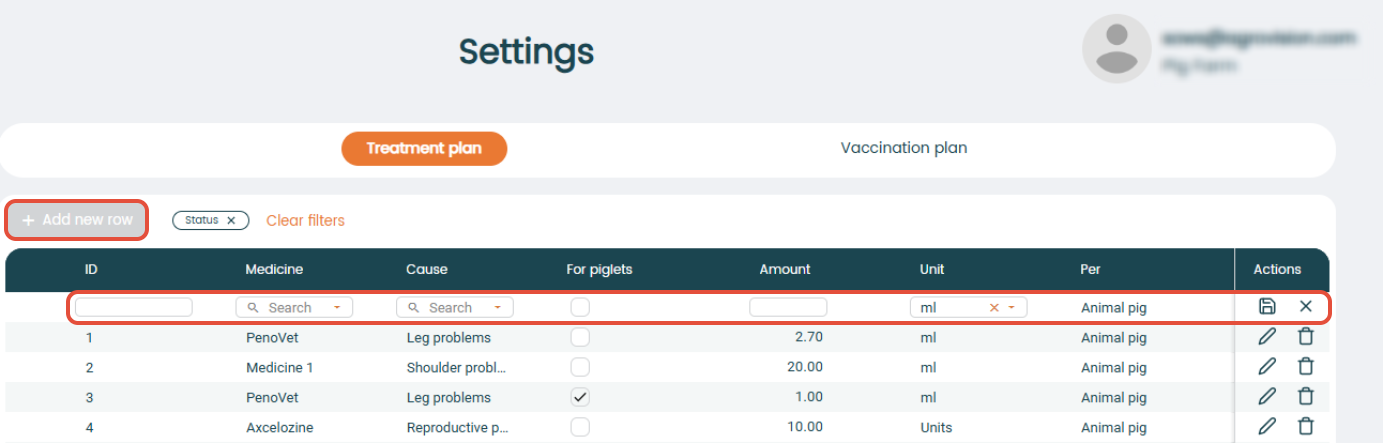
To register vaccination plans, click on “Vaccination plan” and follow the same steps as you would for treatment plans. When you select a vaccination plan during treatment registration, the program will automatically recognize it as a vaccination.