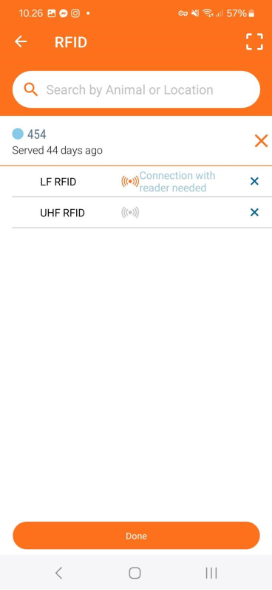
You can link an electronic ear tag (EID) to an animal number or location in the app - in the programme the EID is referred to as "RFID". This allows you to identify animals simply by scanning the tag with your reader, eliminating the need to manually enter the animal number. This makes the process faster and more accurate.
Before linking electronic ear tags, make sure your reader is connected to the app. Read more.
There are three ways to link an electronic ID to an animal or a location:
Option 1 : Scan the ear tag.
If an ear tag is not already associated with an animal or a location, the following message will be displayed:
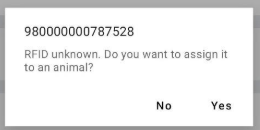
If you select "Yes", you will have the chance to associate this EID with either an animal or a location.
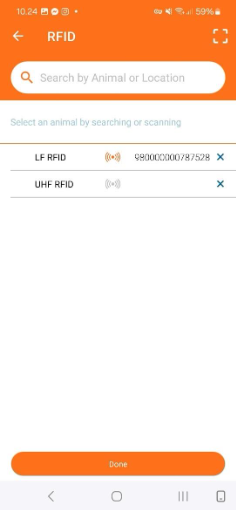
In the search bar at the top, you can start to enter a number related to either an animal or a location. Start typing the animal number. You can switch to the locations view by tapping the "Locations" button at the top. This will display the full list of places.
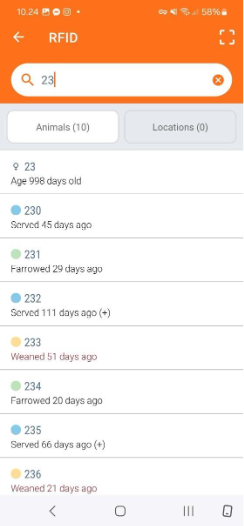
When the list of animals or locations appears, tap the row of the one you want to select. This will open the animal card (or location card).
Review the information shown on the card, and if everything is correct, tap “Save” to confirm.
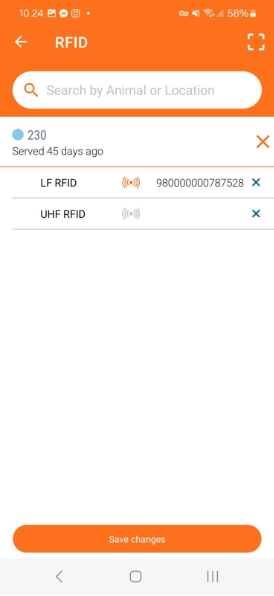
A confirmation message will appear indicating the changes were saved successfully.
The EID is now linked to the selected animal or location.
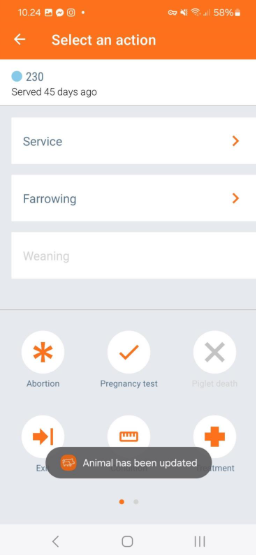
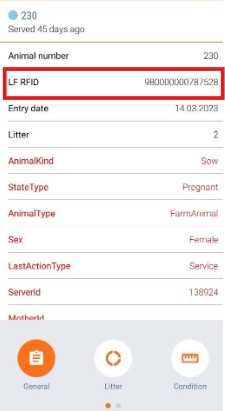
All modifications are saved on the animal card:
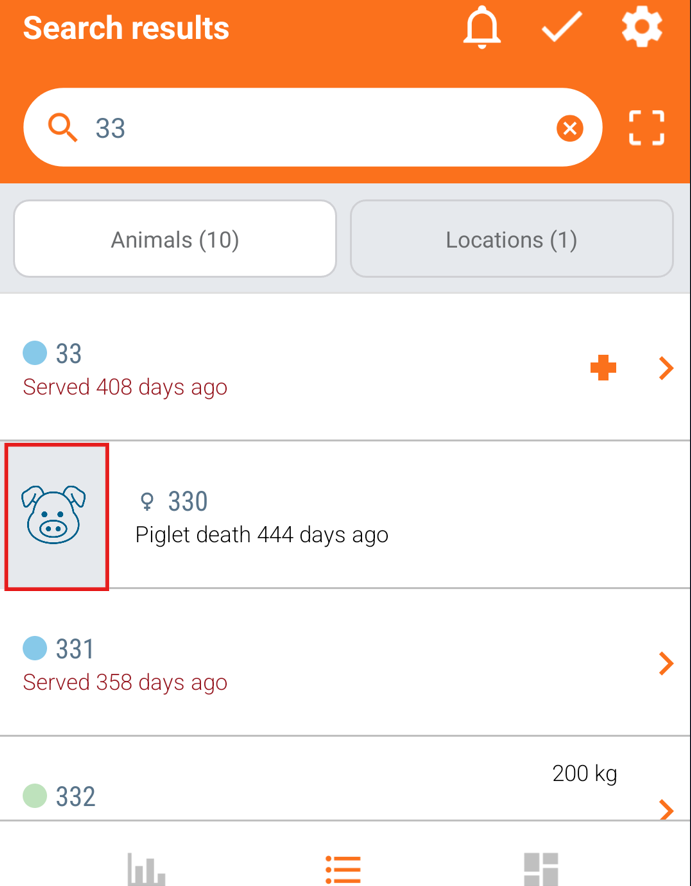
Search for an animal that needs an EID, then swipe right on that animal and click on the pig icon.
Click on the pencil to edit the animal card information and find the row for EID.
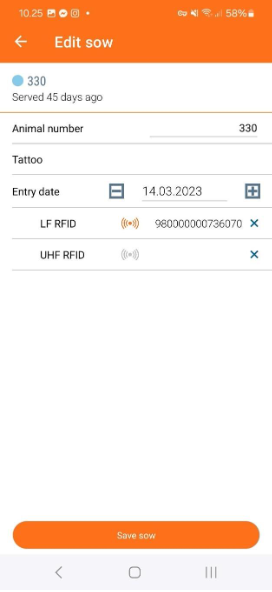
Choose either the LF (low frequency) or the UHF (high frequency) EID, based on your ear tag. Scan the ear tag, and the information from the ear tag will be automatically filled in here.
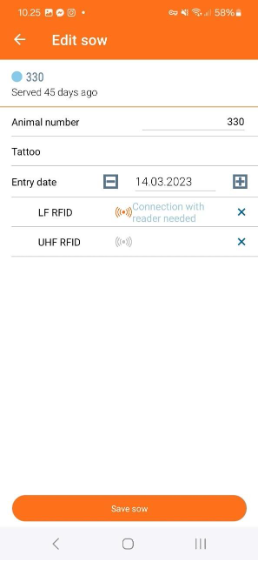
After this add-on, you can click on "Save sow", and the EID has been assigned.
Option 3: Use the RFID Menu
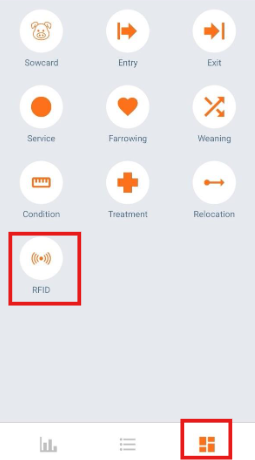
Tap the navigation button on the bottom right. Select the "RFID" icon.
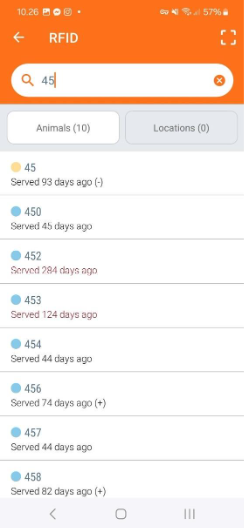
Scan the ear tag and click on "Save". The EID is now successfully linked.