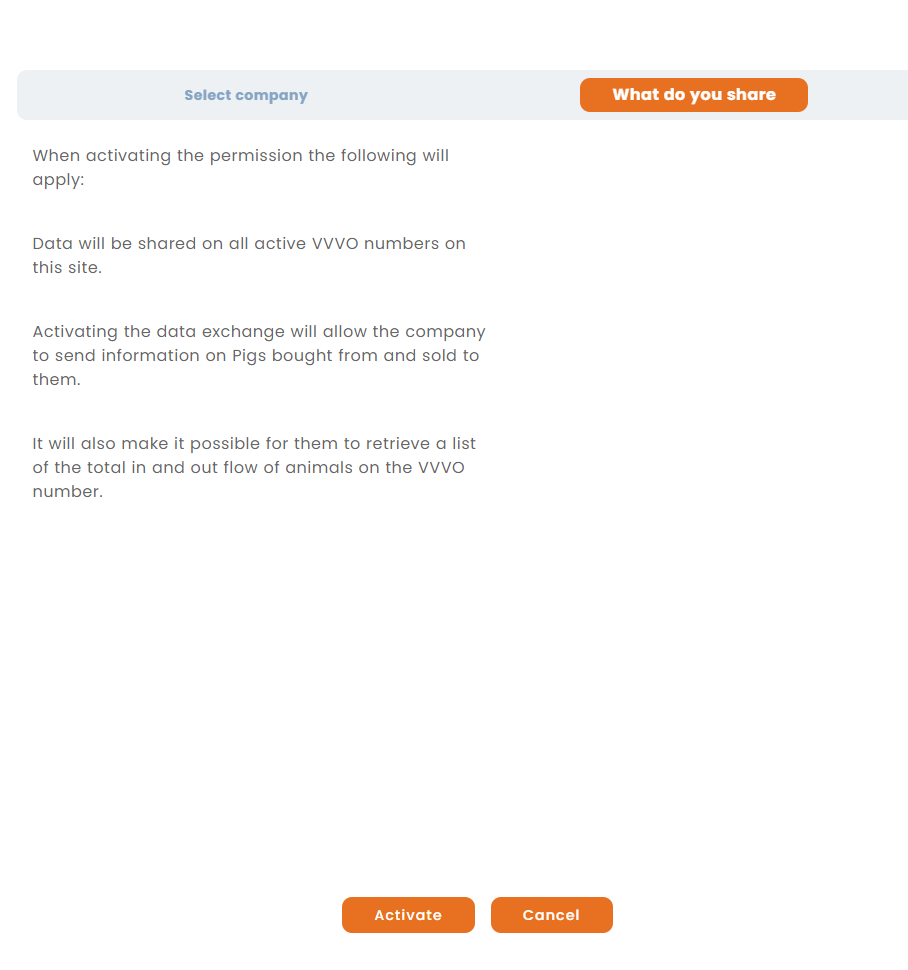
To activate the data exchange with an external company, the following steps are neccessary:
Note: At the moment only available in Germany.
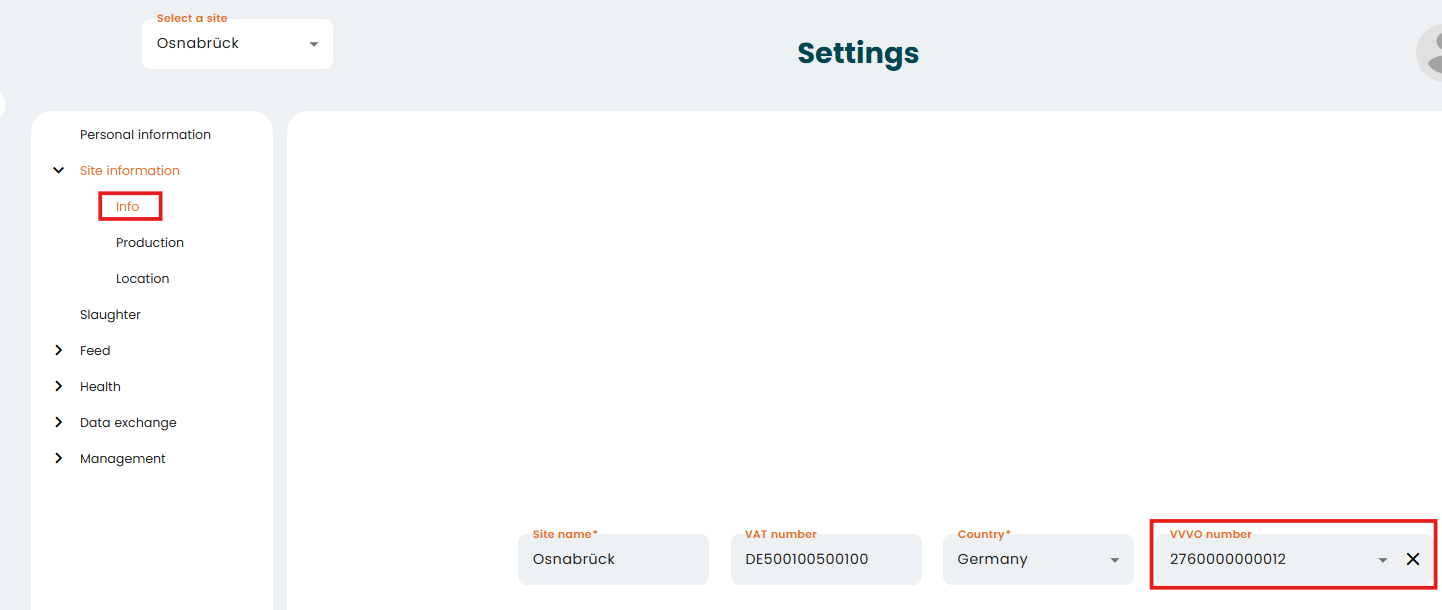
1. Make sure that you have entered your VVVO Number in the "Site information"
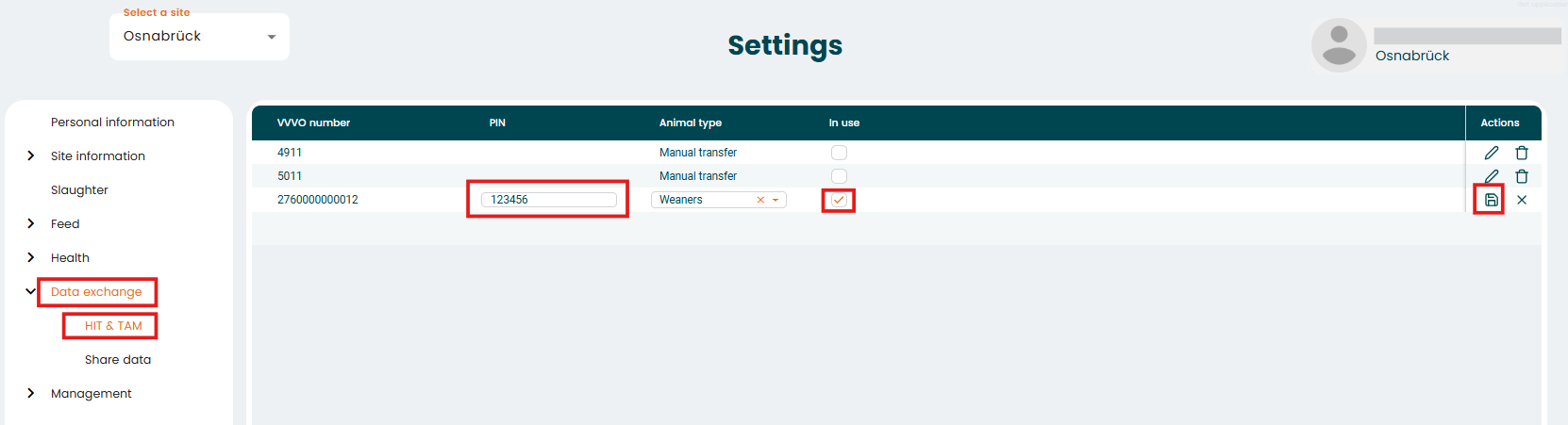
2. Go to "Data exchange" - "HIT&TAM" enter the Pin, set the checkmark "In use" and save your entries.
3. Open the menu "Share data" and follow the steps below.
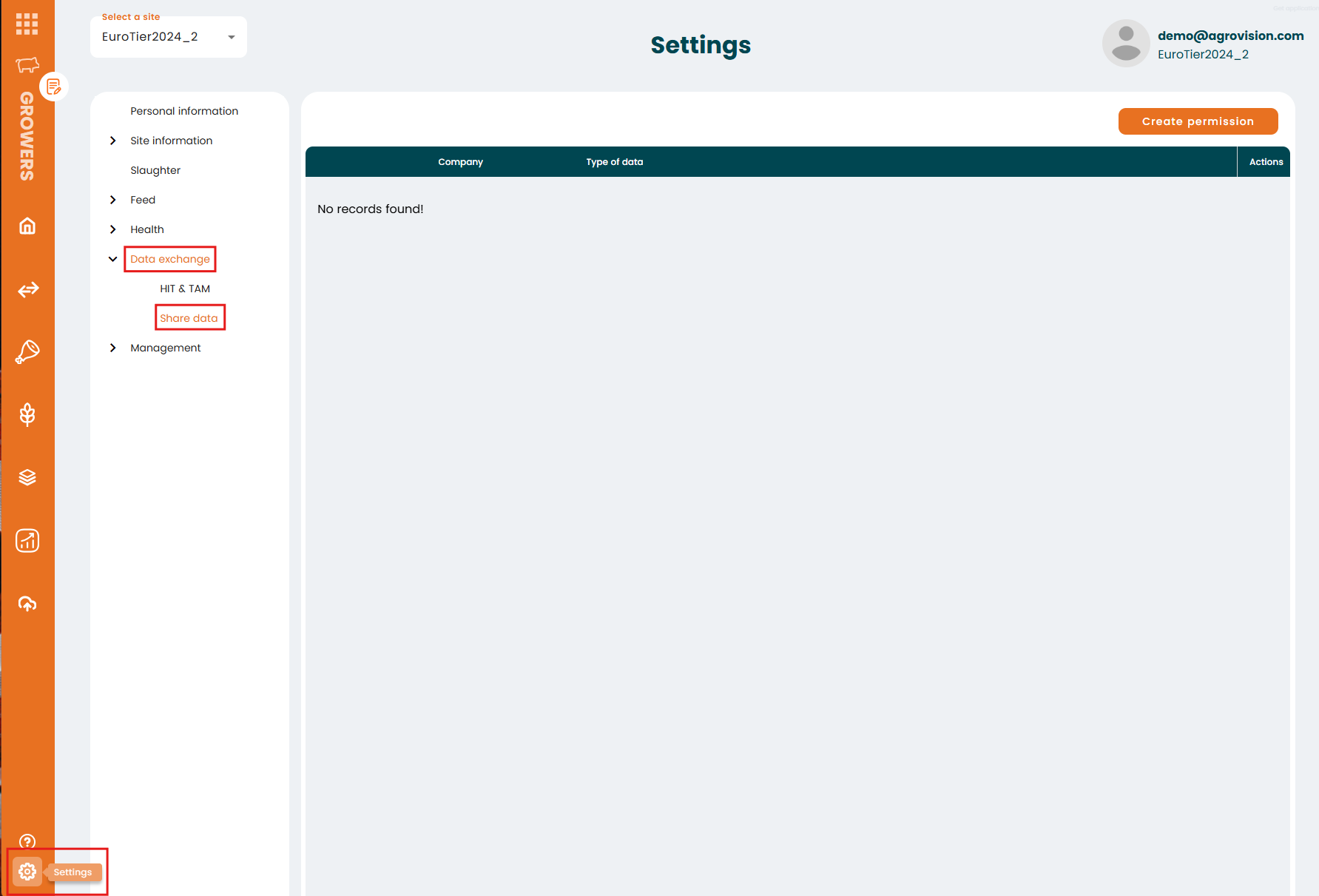
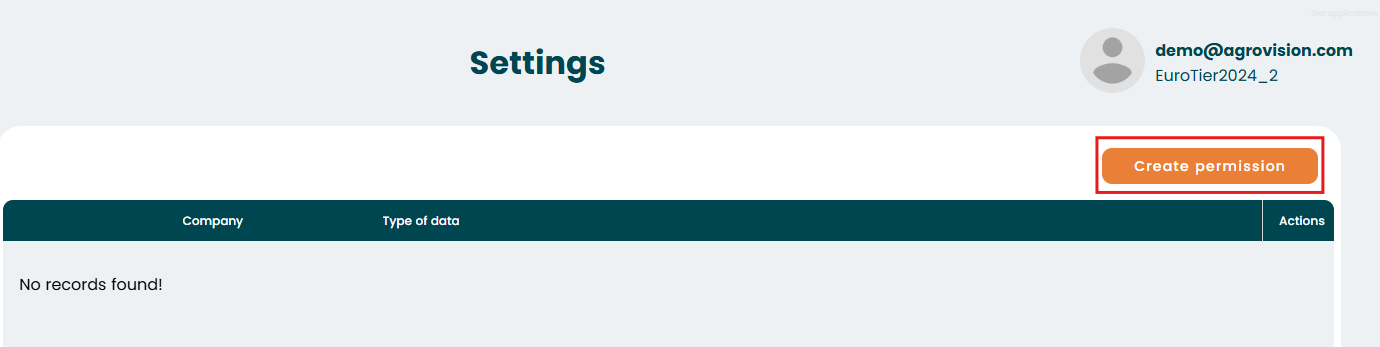
Use the "Create permission" button to start the set up of the data exchange
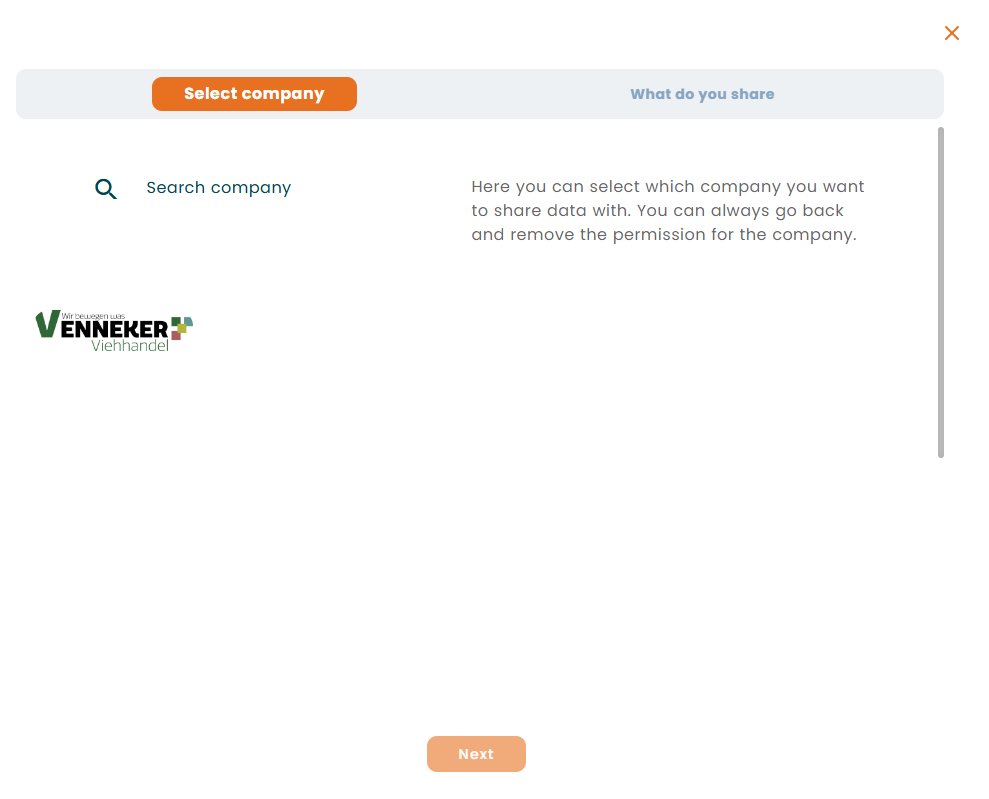
On the next page select the external company to share permissions with
You can see which data will be shared if you go the the tab "What do you share".
Click "Activate" to enable the function.